
JsonVision
An AI agent that reverse engineers videos into scene mechanics and applies them to product images as structured video prompts.
Motion Graphics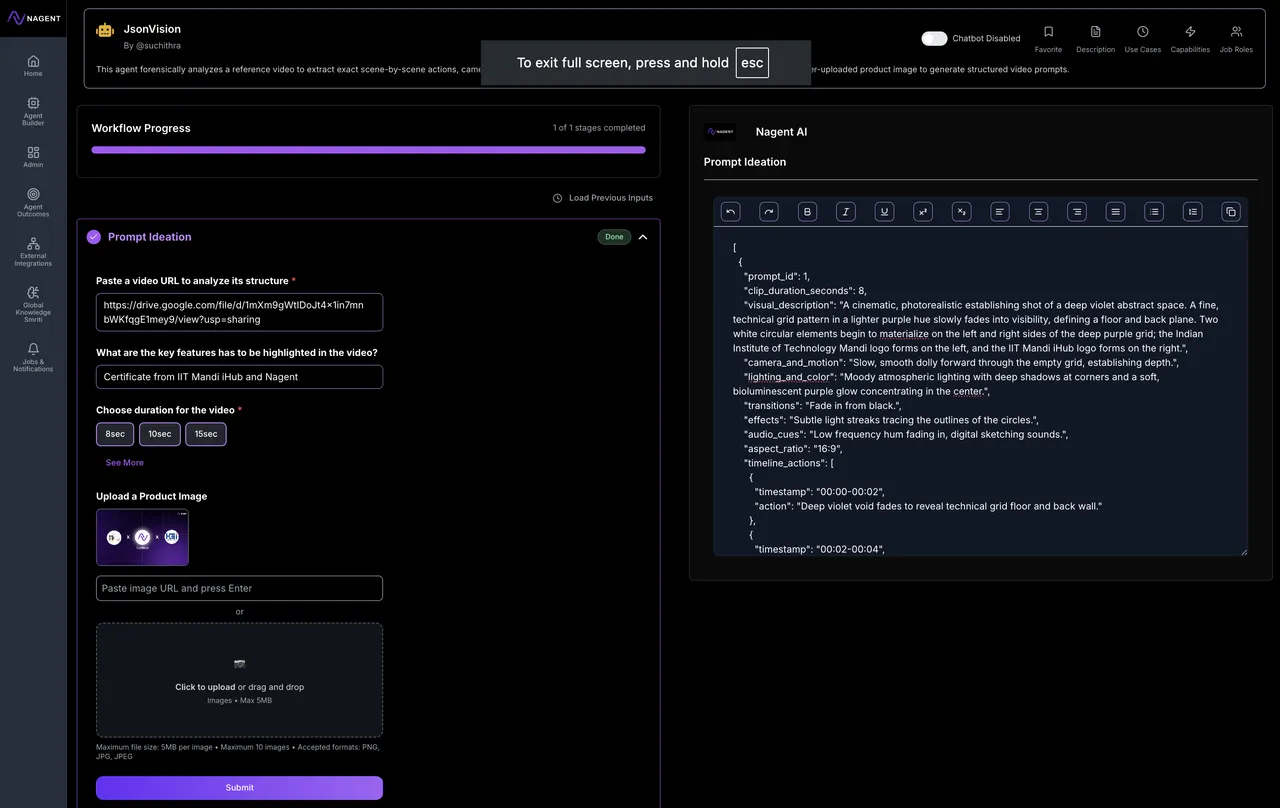
Why JsonVision
Reverse engineer great videos. Rebuild them with your product.
An AI agent that reverse engineers videos into scene mechanics and applies them to product images as structured video prompts.
- Reverse engineers video scene mechanics
- Converts scenes to structured prompts
- Applies video styles to product images
- Analyzes motion, lighting, and composition
- Generates ready-to-use video production briefs
Reduce dependency on video production teams
Lower motion graphics outsourcing costs
Generate structured cinematic prompts within minutes
Reduce manual storyboard planning effort
How it works
How JsonVision works
Instantly extract exact mechanics from any reference video.
Apply proven camera and motion logic to new product visuals.
Generate structured prompts ready for video generation.
Scale successful video styles across campaigns effortlessly.
Without JsonVision
Overview
JsonVision
An AI agent that reverse engineers videos into scene mechanics and applies them to product images as structured video prompts.
Key Benefits
What you get
Scene by Scene Video
Scene by Scene Video Deconstruction: Extracts actions, timing, camera motion, transitions, and effects from reference videos.
Camera and Motion Mapping:
Camera and Motion Mapping: Identifies pans, zooms, cuts, easing, and pacing with frame-level precision.
Mechanic Transfer to Product
Mechanic Transfer to Product Images: Applies extracted video logic to user-uploaded product visuals.
Structured Video Prompt Output:
Structured Video Prompt Output: Generates clean, machine-readable prompts for video generation pipelines.
How it performs
Reduce dependency on video production teams
Lower motion graphics outsourcing costs
Generate structured cinematic prompts within minutes
Reduce manual storyboard planning effort
Built-in capabilities
Reverse engineers video scene mechanics
Converts scenes to structured prompts
Applies video styles to product images
Analyzes motion, lighting, and composition
Who uses this agent
Job roles it augments
Motion Designer
Automates scene analysis and recreates cinematic video mechanics for product campaigns.
Performance Marketer
Converts static product images into scalable motion ads optimized for engagement.
Creative Director
Replicates winning video styles across campaigns without rebuilding concepts manually.
Social Media Manager
Generates short-form motion content from existing product photography.
Video Editor
Speeds up storyboard and transition planning using structured cinematic prompts.
Industry fit
Relevant industries
Primary
Also used in
Tags
JsonVision is ready to deploy.
No code required · Connect your tools · See results on day one.
Related Agents
More agents like JsonVision
Guidebook
Marketing Agent Best Practices
Follow these practices to get the best results from JsonVision from day one.
Connect your brand guidelines and tone-of-voice doc as knowledge sources before first run
Start with one campaign type before expanding — validate outputs before scaling
Review KARMIC scores weekly to identify which prompts are under-performing
Set explicit approval checkpoints before content goes live
Integrate with your analytics platform to feed performance signals back to the agent
Get the full AI Agent Playbook
47 pages on deploying AI agents in enterprise — strategy, architecture, and measurement. Free PDF.
No spam. Unsubscribe anytime.
FAQ
Questions buyers ask before deployment
JsonVideoCraft analyzes the reference video frame by frame, identifies scene structure, camera movements, transitions, and pacing, then converts those elements into a structured video prompt.
What's next
Choose your path
Get started on your own, or have our team build exactly what you need.
Build it yourself in minutes.
Use the Agent Building Studio to create a version of JsonVision tailored to your data and workflow. No code required — Helix guides you through every step.
- No-code visual builder
- Connect your own data sources
- Helix AI assistant included
- Deploy in under 5 minutes
Let our experts build it for you.
Our Agentic AI Lab provides forward-deployed engineers who tailor JsonVision to your exact systems, proprietary data, and approval logic — and deploy in weeks.
- Custom integrations & data pipelines
- On-prem, VPC, or cloud deployment
- Dedicated forward-deployed engineer
- Enterprise SLA & compliance support