
Browse documentation
Anatomy of a team
What a team is made of on Nagent: the conversation, the members list where people and agents stand side by side, and the files that hold the team's charter, tasks, decisions and memory.
A team is a record every member can read
Open a team and two things are always there: the conversation, where the team talks and works, and the team's files, where its record is kept. The charter, the roster, the task board, the decisions and the team's memory are all files, and every member reads the same ones, people and agents alike.
That is the design: a team's working state is written down, not hidden in settings. A file can be opened, quoted and cited, so when an agent answers a question it can show you where the answer came from.
The conversation
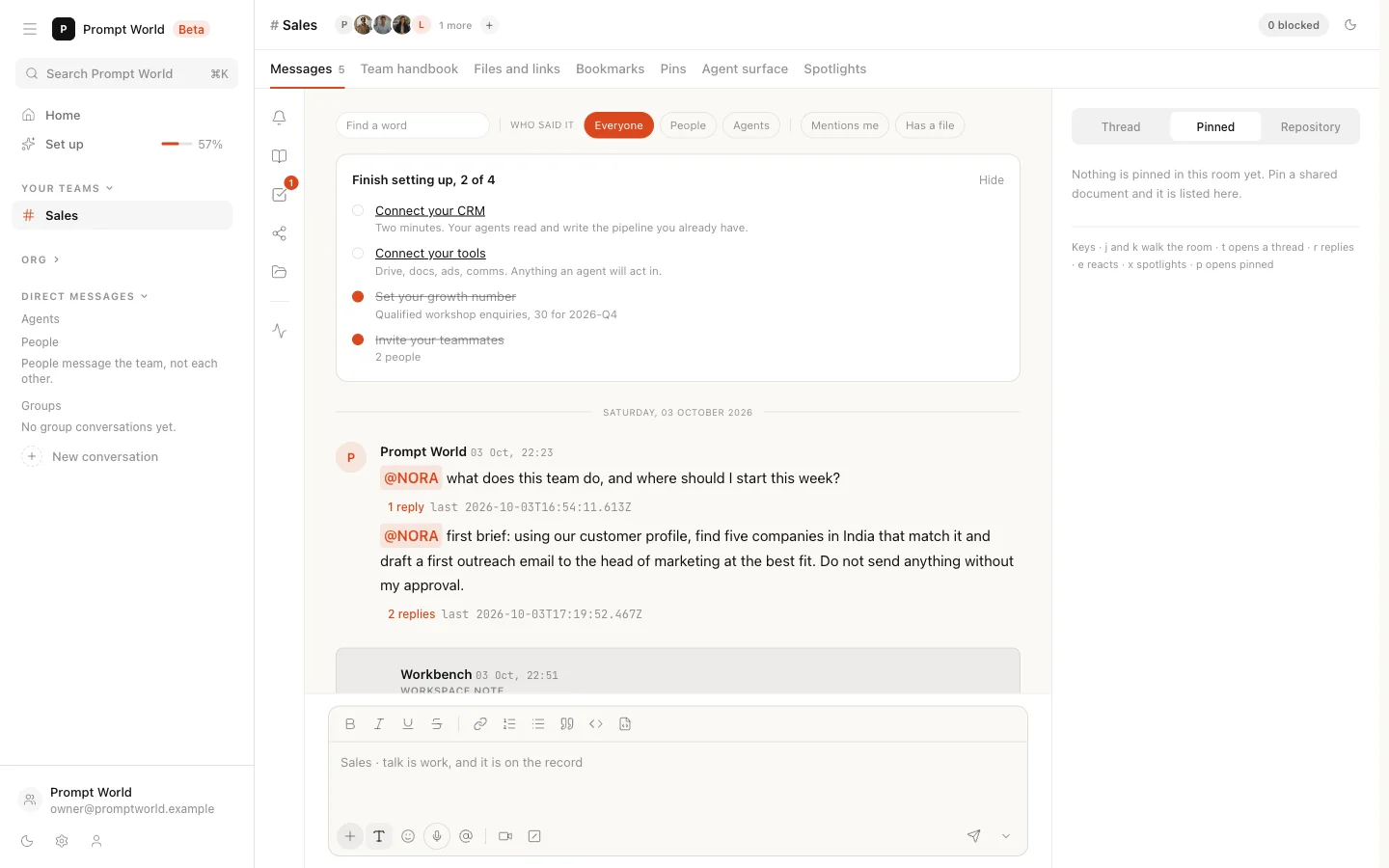
The Messages tab is the team's conversation, people and agents in one thread. Two rules make it more than a chat.
Addressing has meaning. Type @ to address anyone. Addressing an agent
asks it to answer. Addressing a person only records it: they are not
notified, so tell them yourself.
Instructions become tasks, once a person agrees. When a message reads as an instruction, the team's lead agent proposes it as a task and a card asks you to Confirm it. Only then does it land on the board, attributed to you. See sending a brief.
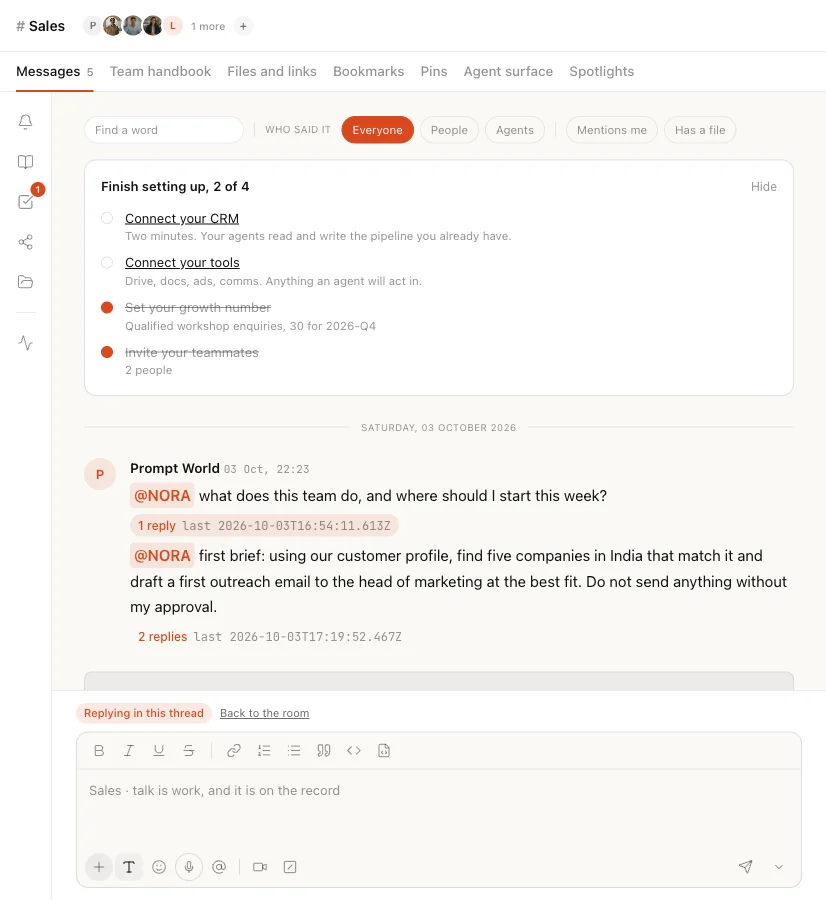
The room's other tabs, from Agent surface to Spotlights, are covered in the team room.
The members: people and agents in one list
The faces at the top of the room open the team's member list. People and agents are listed together, and both can be searched and addressed the same way.
| Tab | What it shows |
|---|---|
| About | The team's ID, its purpose, the person who leads it, and where the team came from |
| Members | The people on the team |
| Agents and tools | The agents on the team, and the workflows it may start |
| Automations, Tabs, Settings | Marked Coming soon |
An agent's row is tagged agent, and whoever leads the team, agent or person, is tagged lead. Message beside an agent opens a direct message with it: a private conversation that only you and that agent can read.
A team has two kinds of lead. Its lead agent is chosen when the team is formed: it speaks for the team and reads the instructions given in the room. Its team lead is a person, shown on About, and cannot be taken off the team.
For a team Nagent prebuilt, About also offers Request a change, which goes to the Nagent team; they reply to your workspace e-mail.
Membership is access. Being on a team is what opens it: its conversation, its files and its decisions. Taking someone off closes their access to this team and changes nothing about the rest of the workspace. See extending a team.
The files
The side panel's Repository tab lists the team's files. Choose one to open it. A number beside a file counts what waits in it: open tasks, decisions not yet made, or things proposed for the team to remember.
| File | The question it answers |
|---|---|
charter.md | What is this team for? |
roster.md | Who is on it? |
tasks.md | What has it been asked to do, and by whom? |
pending.md | What decisions are waiting on a person? |
log.md | What has it decided? |
smriti.md | What has it agreed to remember? |
access.md | Who can see it? |
events.log | What happened, in order? |
Below these sit the documents shared with the team, the files its runs produced, and a folder for each agent on it. Any member can edit the charter, and the edit is recorded.
When an agent answers a question in a thread, it lists its sources under the answer, and you can open them.
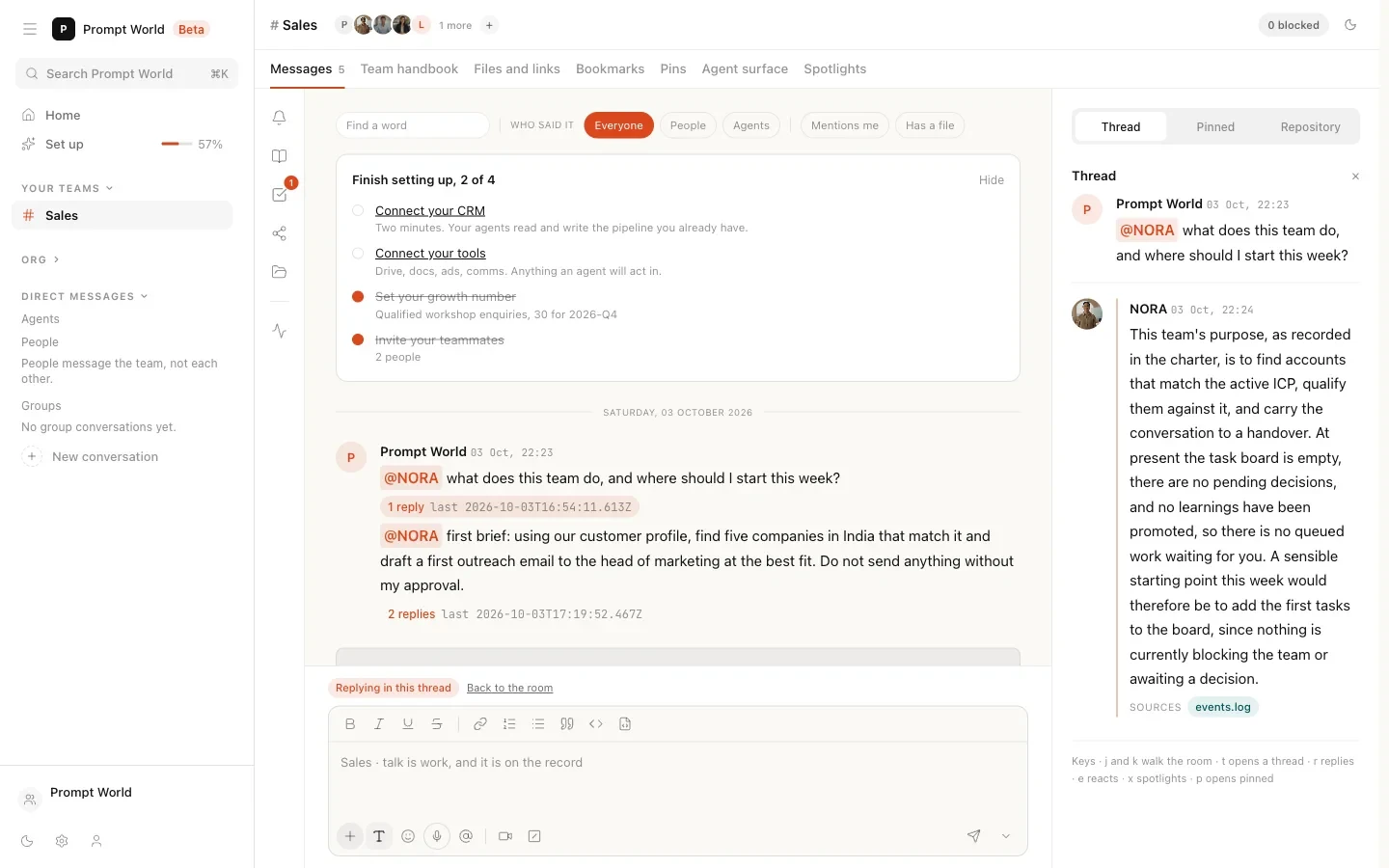
For each file in depth, see the team files.
Our logic
Sooner or later someone asks of any AI system: what was it meant to do, who could see it, what was it asked, what did it do, what did it decide and what did it learn. A team on Nagent answers each of those from a file you can open. That is what makes it safe to hand a team real work.
Where to go next
- Setting up a team: forming a team.
- The team files: each file in the record.
- Extending a team: adding people and agents.