
Browse documentation
RIVA: revenue operations
How RIVA keeps the pipeline true, what it measures and flags, why it can never edit a deal, and how to ask it questions.
RIVA keeps the pipeline true
RIVA is the Sales team's revenue operations teammate. It measures, flags and reports. It enforces the hygiene rules your team has agreed and tells you, by name, which deals break them. It is measured on pipeline hygiene, with a target of 95 percent of open deals clean.
RIVA is deliberately the one seat on the team that cannot change a deal. Keeping the truth and acting on it are separated on purpose: an agent that could edit the pipeline could also tidy away the problems it is meant to report.
| Field | Detail |
|---|---|
| Team | Sales |
| Screen | RIVA, the pipeline's truth |
| Agent page | Agent workbench, RIVA |
| What it can write | Nothing. Every RIVA action is a read |
What RIVA reads
RIVA reads the same open deals DEXA works, and judges them with the same rules. A deal cannot be clean on DEXA's screen and at risk on RIVA's.
It also reads:
- how long each deal has sat in its current stage
- the stall threshold set on Sales settings
- credits used by the workspace in the last 30 days, and the allowance where a plan is recorded
What RIVA produces
The RIVA screen has three bands.
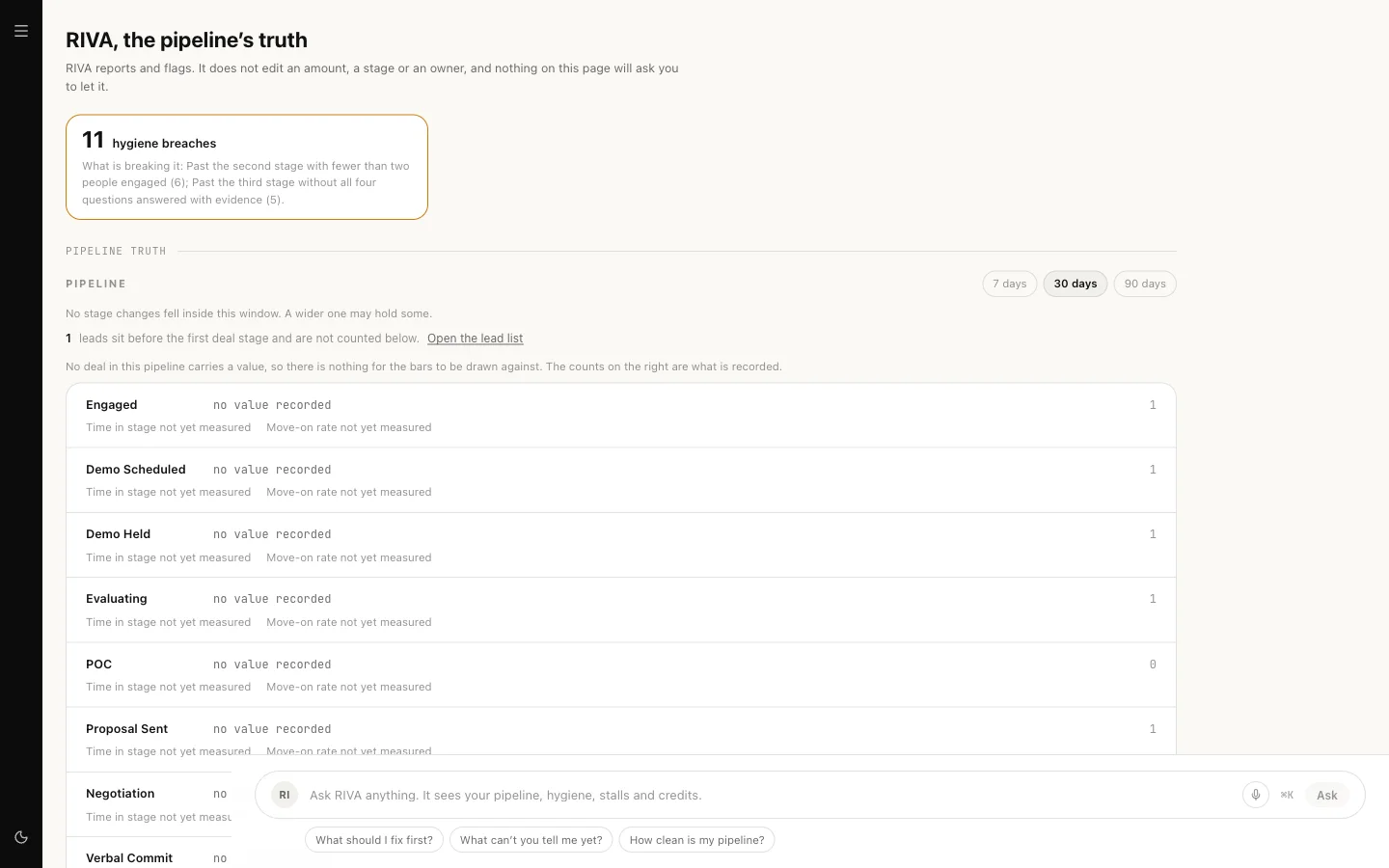
Pipeline truth. The pipeline board: open deals per stage and what they are worth, which stages have gone quiet, how long a deal typically sits in a stage and how often it moves on. Leads that are not yet deals are counted separately, never as deals.
Hygiene and stalls. A hygiene dial against the 95 percent target, and every rule listed, including the rules that found nothing. An empty list is shown as "every rule was checked and none found anything", with the time of the sweep, so clean is something RIVA proved rather than assumed. Each violation names its code and links to where it can be fixed.
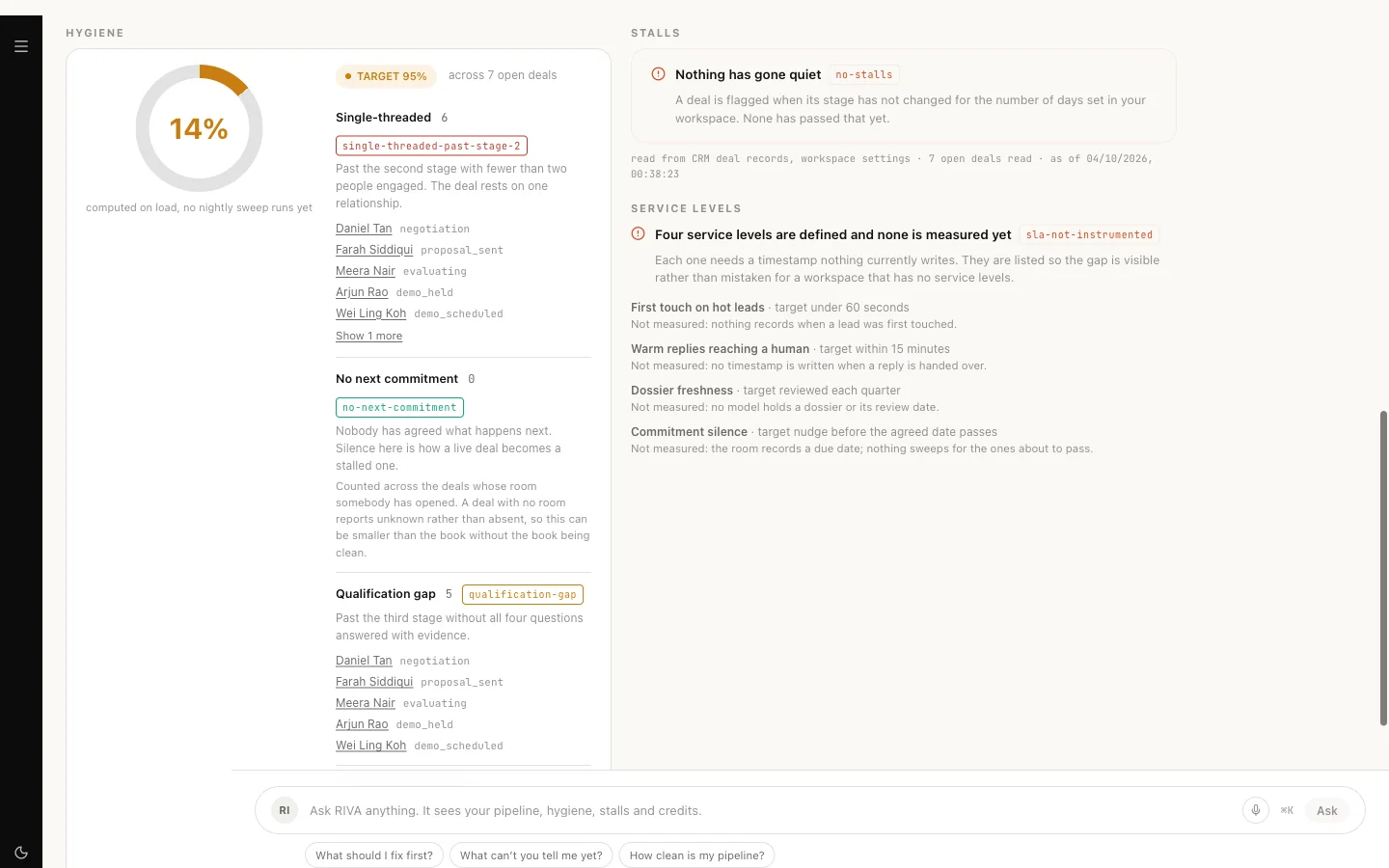
Stalls list each deal whose stage has not changed for longer than your threshold, with the days elapsed and the threshold it breached. You can acknowledge a stall alert; the clock keeps counting, because acknowledging an alert is not the same as moving the deal.
Credits and comp. Credits used this month and the allowance, in credits. RIVA never shows a provider, a meter or a currency figure. Comp and quota say plainly that they are not measured yet.
What RIVA can do
| Action | What it answers | Runs on its own |
|---|---|---|
| Pipeline hygiene | Hygiene against the target, every rule listed | Always (read) |
| Stall alerts | Deals gone quiet past your threshold | Always (read) |
| Credits used | Credits in the last 30 days and the allowance | Always (read) |
| Pipeline board | Deals per stage, value, time in stage, conversion | Always (read) |
Because every action is a read, nothing RIVA does ever waits for approval and nothing it does changes your records.
The one fix on the RIVA screen is yours, not RIVA's: where a deal's close date has passed, you can set a new date in place. RIVA shows the control; a person uses it.
Setting the stall threshold
- Open Sales settings.
- Under the stall thresholds, set the default for every stage. It starts at 5 days.
- Override it for any stage where quiet means something different. Five quiet days in Negotiation is not the same event as five quiet days in New.
- Save. RIVA's next read uses the new numbers.
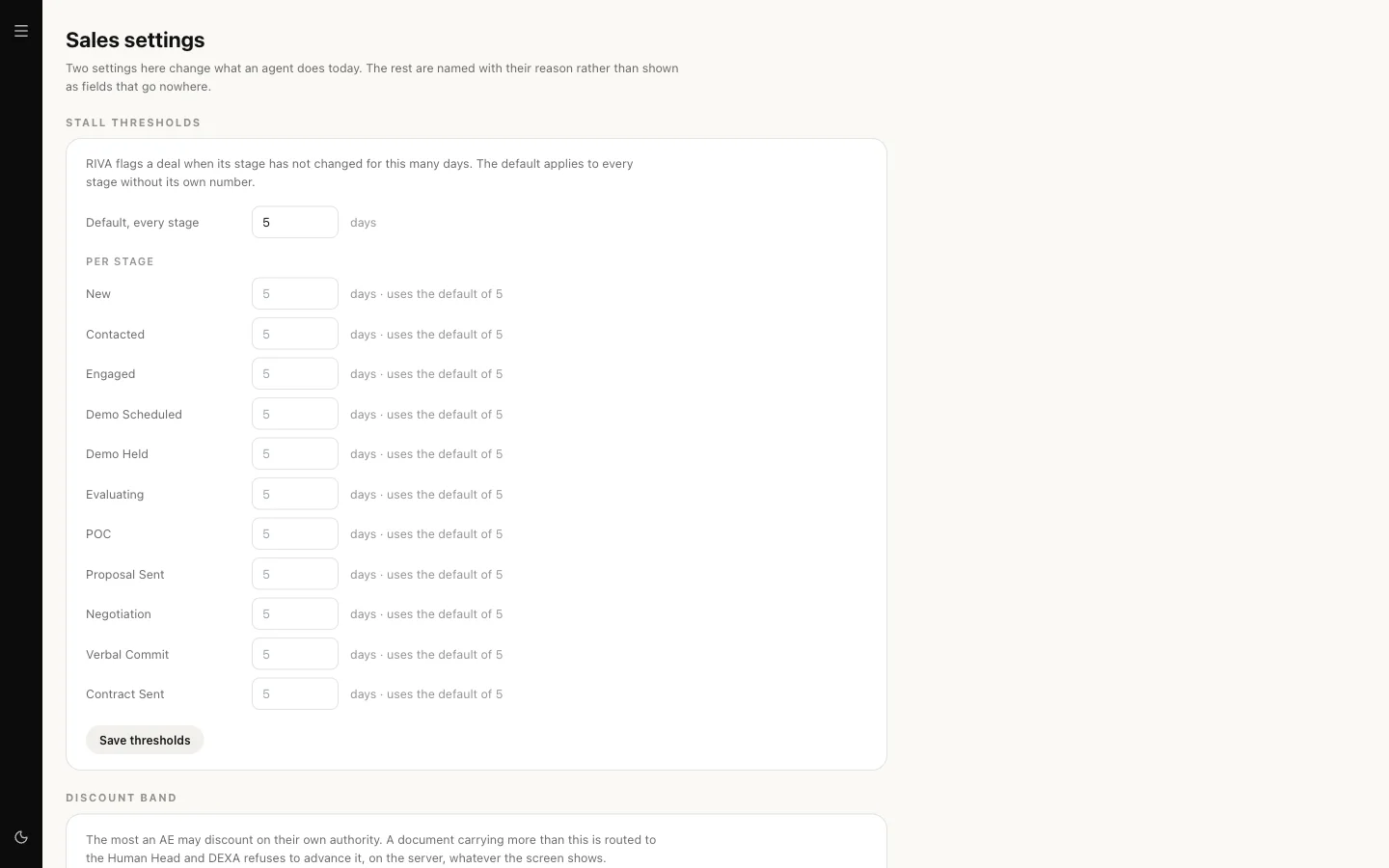
The stages come from your own CRM settings, not from a list of ours.
Asking RIVA
From the Sales team room:
@RIVA how clean is the pipeline?@RIVA which deals have stalled?@RIVA how many credits have we used this month?@RIVA show me the funnel for the last 30 days
Or use the ask box on the RIVA screen. Either way the figures come from code reading your records. On the RIVA screen the reply is also checked before you see it: if it quotes a figure the records did not produce, you get the plain answer the code wrote instead.
For Prompt World, a Monday question might be "which workshop deals have gone quiet since last week", and the answer is a list of named deals with their stage and days elapsed, not a summary.
Our logic
A pipeline report is only useful if nobody can make it look better without doing the work. So RIVA reports and flags, a person fixes, and the fix shows up on the next read. Its level on the trust ladder changes nothing about this: there is no RIVA action that a higher level could unlock.
Limits today
- Comp and quota. Attainment and commission need comp rules held as a knowledge file, and the workspace cannot hold them yet. RIVA reports no attainment rather than an estimate.
- SLA targets have nothing to measure against yet and say so on Sales settings.
- Formatting and dedupe fixes, which RIVA's instructions allow, are not built as actions. Today RIVA only reads.
- Forecast roll-ups wait for SERA, who is not built.