
Browse documentation
DEXA: deal execution
What DEXA owns once a human takes a deal, what it reads and writes, which of its actions ask first, and how to brief it from the room or its own screen.
Everything around a live deal except the human moments
DEXA is the Sales team's deal execution teammate. Its own instructions put it in one line: DEXA remembers, prepares, papers and follows through; the account executive talks, judges and closes.
It picks up where NORA stops. NORA books a qualified meeting and raises a handoff card; a person acknowledges it; from then on the deal is DEXA's to keep in order. DEXA is measured on cycle time, from qualified to decision.
| Field | Detail |
|---|---|
| Team | Sales |
| Reports to | NORA leads the room; you hold every decision DEXA cannot take |
| Starting level | L4, as seated by the Sales team at sign-up |
| Screens | DEXA, the book and one room per deal |
| Agent page | Agent workbench, DEXA |
What DEXA reads
DEXA reads your CRM records, not a copy of them. A deal is a lead that has been moved past New and is still open. For each one it reads:
- the stage, the owner and the value (a deal nobody has priced shows "not priced", never zero)
- the buying committee: four seats, who holds each, and whether anybody has spoken to them
- the qualification four: pain confirmed, budget owner, timeline stated, decision process
- the next commitment, the timeline of the room, and any papers drafted
- whether the client-facing room for the deal has been opened, and how often
From those it raises four named risks. The code shows on the card exactly as written, so what you read out to us matches what our logs say.
| Risk | When it fires |
|---|---|
single-threaded-past-stage-2 | Past the second stage with fewer than two people engaged |
no-next-commitment | Past the second stage with no agreed next step |
qualification-gap | From the third stage, fewer than four questions answered with evidence |
close-date-elapsed | The expected close date has passed |
RIVA reads the same rules, so the two screens always agree.
What DEXA can do
| Action | What it does | Runs on its own from |
|---|---|---|
| Deal book | How many deals, how many at risk, what they are worth | Always (read) |
| Deal status | Where one named deal stands and what is wrong with it | Always (read) |
| Deal room | The committee, qualification, commitment and papers for one deal | Always (read) |
| Set the next commitment | What happens next, who owes it, and by when | L3 |
| Record a qualification answer | One of the four, with the evidence it rests on | L3 |
| Draft a document | A paper recording what is offered and at what discount | L3 |
Some rules are built into the actions themselves:
- A commitment needs a date. Without one DEXA refuses, because a commitment with no date is an intention.
- An answer without evidence is stored but does not count towards the four, and DEXA's reply says which happened.
- A draft is only a draft. DEXA has no action that sends, approves or advances a document. Anything beyond your discount band goes to the person who heads sales and cannot be advanced from the room at all.
- DEXA cannot write an amount, a stage or an owner. Those are what the pipeline is scored on, and an agent that could move them could improve its own report.
What asks first
The three writes need L3 to run without asking. A Sales team installed at sign-up starts at L4, so today they run on their own and are logged on Actions. If DEXA were lowered to L2, each one would wait for a person. Reads never wait.
Using the DEXA screen
- Open DEXA. The header counts live deals and deals carrying a risk.
- Filter by stage, or show only deals at risk.
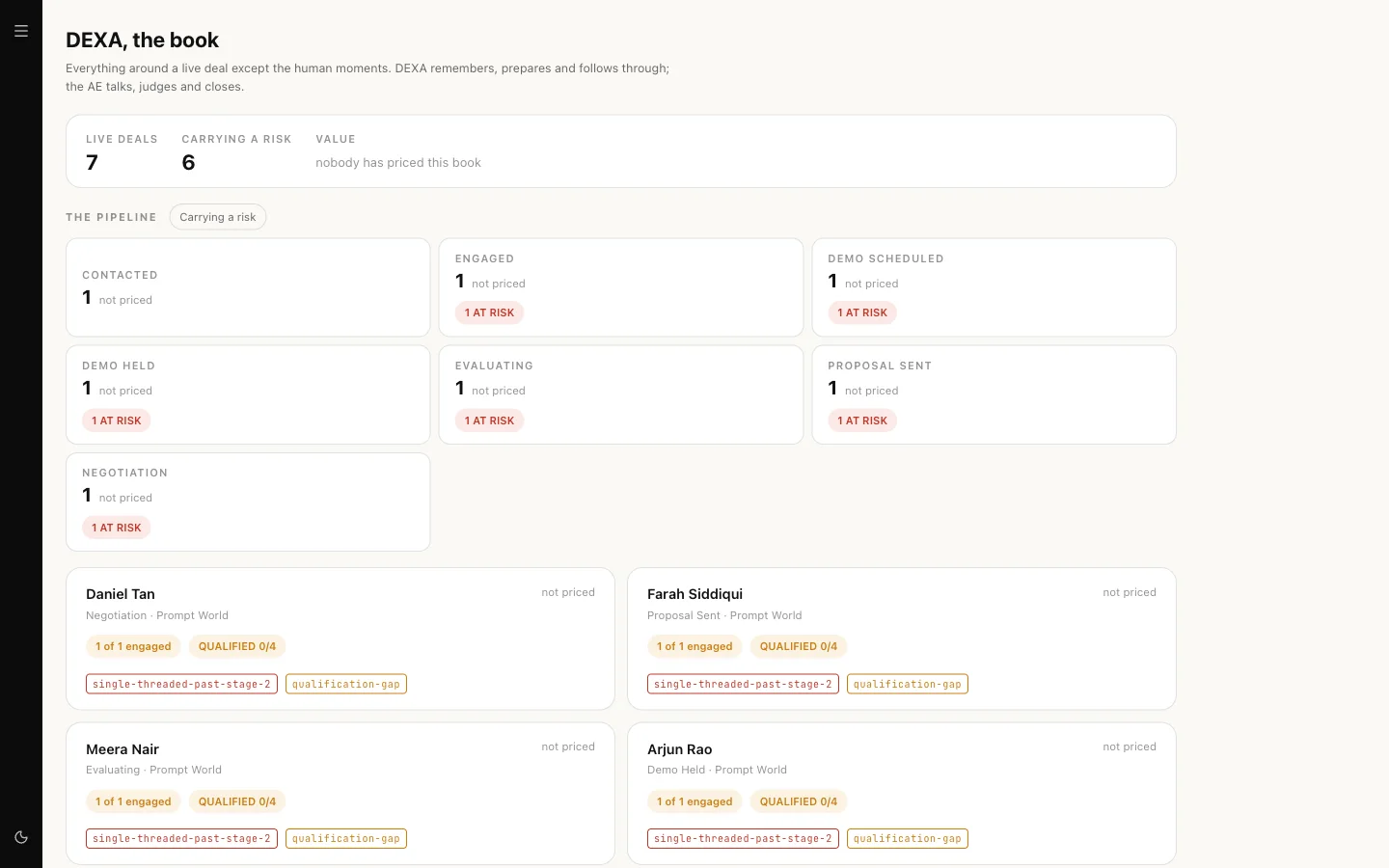
- Open a deal to reach its room. The room has an overview and tabs for the committee, the timeline and the qualification four, and the documents with the next commitment.
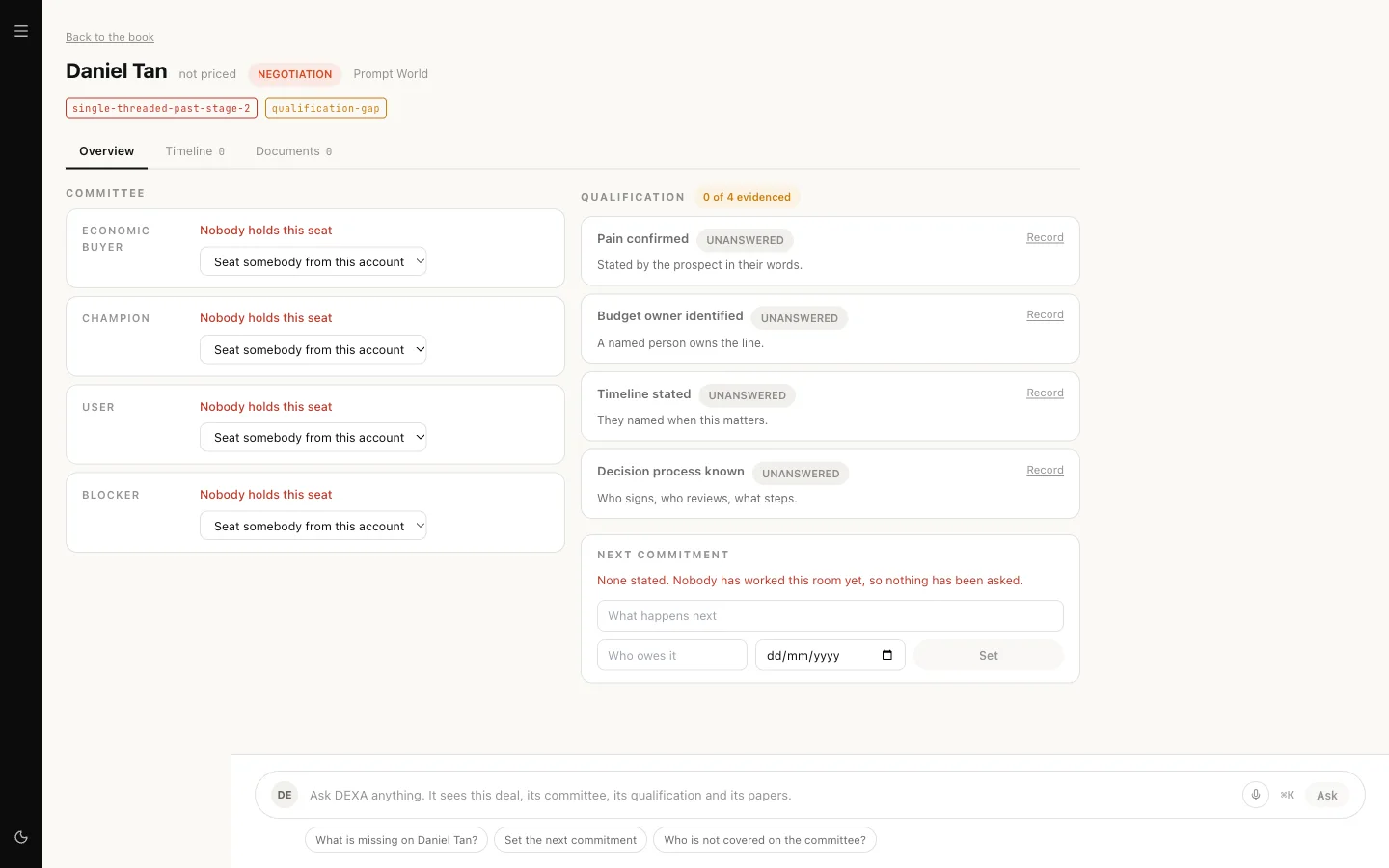
- Set the next commitment, map a committee seat or draft a paper from the room. Every change is re-read from the server, so the screen shows what was actually saved.
- Use the ask box at the foot of the room to put a question to DEXA. It answers in its own thread with you, through the same approval and budget checks as the team room.
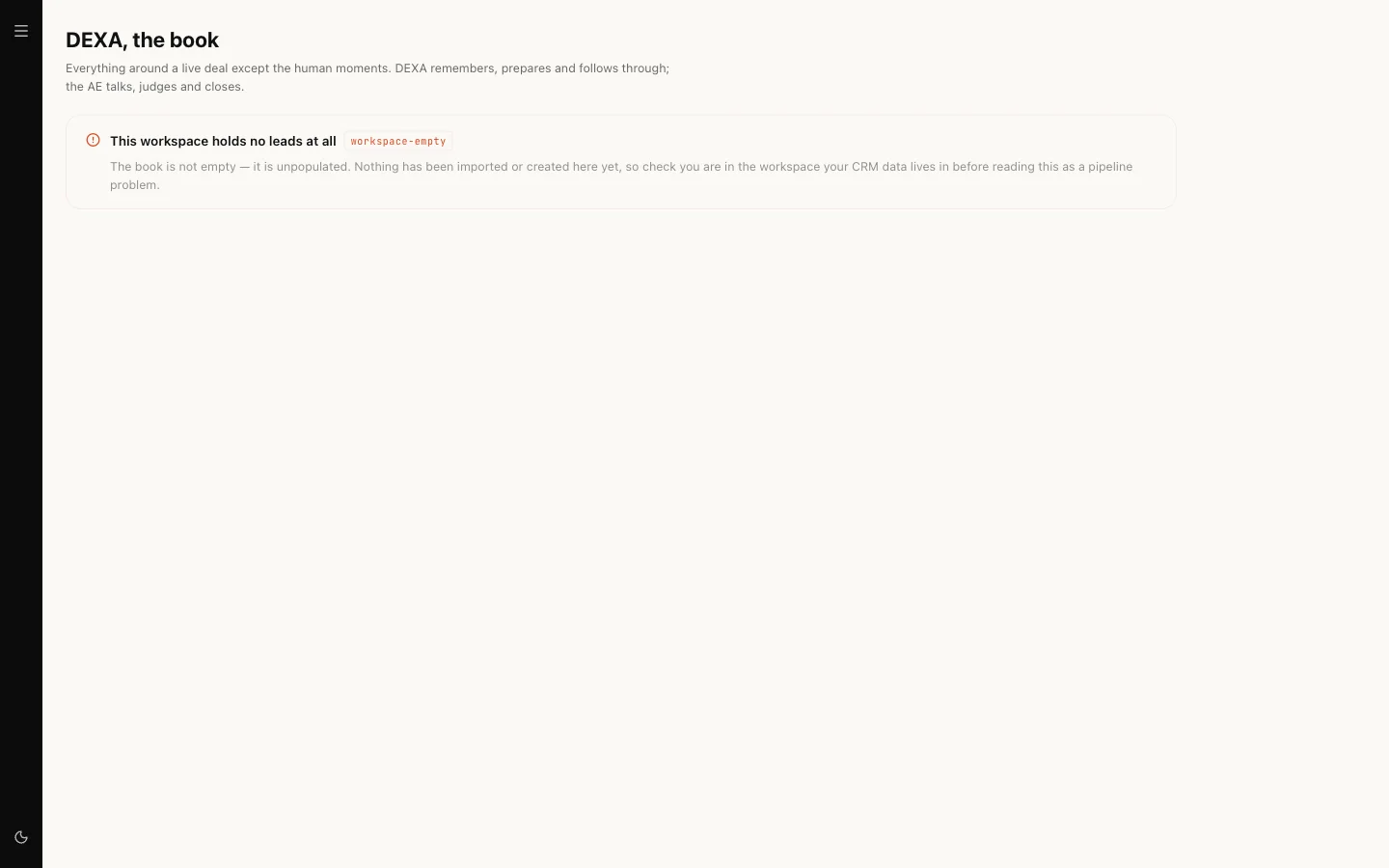
If your workspace has no leads yet, the book says so in plain words rather than reporting an empty pipeline.
Briefing DEXA from the team room
Address it by name and name the account the way you would say it. DEXA never guesses an identifier, and a name that matches more than one deal is refused with the candidates listed.
@DEXA what is the status of the Acme Learning deal?@DEXA set the next commitment on Acme Learning: send the workshop outline, owed by Priya, due 14 October@DEXA record budget owner on Acme Learning: the head of marketing holds it, per the call recap of 2 October
Answers come back as sentences assembled by code from your records, not as figures a model estimated.
The discount band
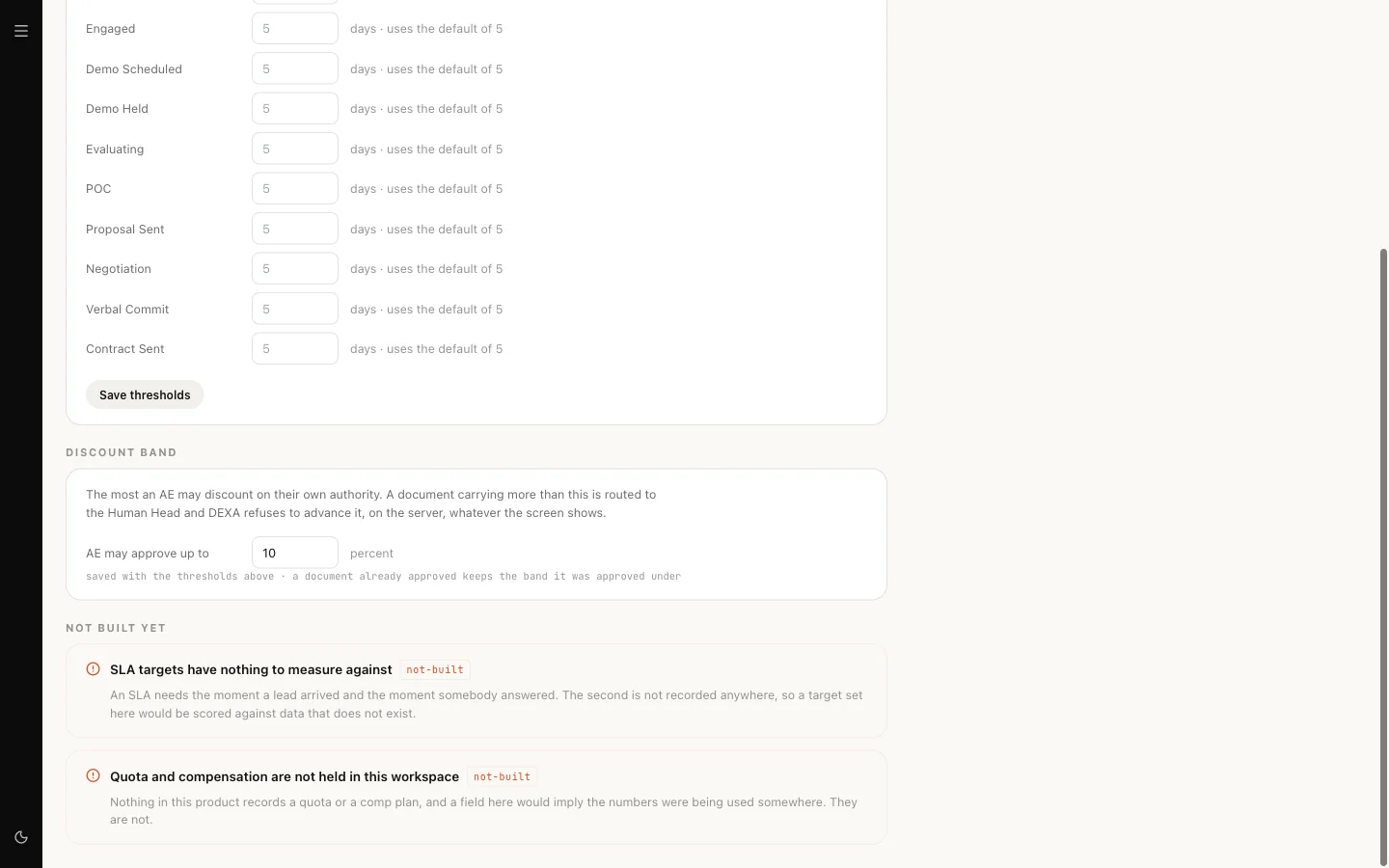
The band is set on Sales settings under "AE may approve up to", and starts at 10 percent. A paper inside the band is the account executive's to approve. A paper above it goes to the head of sales. The server enforces this whatever a screen shows or a message asks.
Our logic
DEXA is allowed to record what was agreed because a deal with no next step is the most common way deals die quietly. It is not allowed to move the figures it is judged by, or to send anything, because those are claims about what a person did. Redlines are flagged, never negotiated.
Limits today
- Meeting prep and recaps are in DEXA's instructions but are not yet actions it can run. The room records what people enter.
- The client-facing room is shown read-only in DEXA; you create and edit it from the lead's page.
- Calendar and email are not DEXA's to touch today.
- Skills from the Sales pack are not yet attached on new workspaces. DEXA's actions above do not depend on them.