
Browse documentation
HOOK, the ad creative team lead
How HOOK turns a paid social brief into angles, hooks and scripts, checks every claim before anything ships, and learns from how your ads performed.
HOOK brings back the angle, the script and the constraints as one pack
HOOK is the creative strategy lead for paid social. It frames a brief, spreads the work across its bench of eight specialists, and brings the result back as one pack: the angle, the hooks, the script and the rules the ad must keep. HOOK reports to MIRA.
HOOK is labelled Beta beside the page title: "New, and rough in places." Open it from the sidebar under HOOK, or go to nagent.ai/admin/hook. Its tabs run Today, Requests, Make, Ship, Learn, Concepts and Brand.
The bench
| Seat | What it does for you |
|---|---|
| SCOUT | Builds your swipe library of ads worth learning from |
| MINE | Reads what makes an ad work, inside a teardown |
| ANGLE | Writes the brief: the bets and when to kill each one |
| SCRIPT | Writes hooks and full scripts |
| GATE | Checks every claim and line of copy, and can block |
| PACK | Packs the ads into a campaign package |
| PULSE | Reads ad results, diagnoses, plans refreshes |
| VAULT | Keeps what has worked as your playbook |
Step 1: build the brand pack
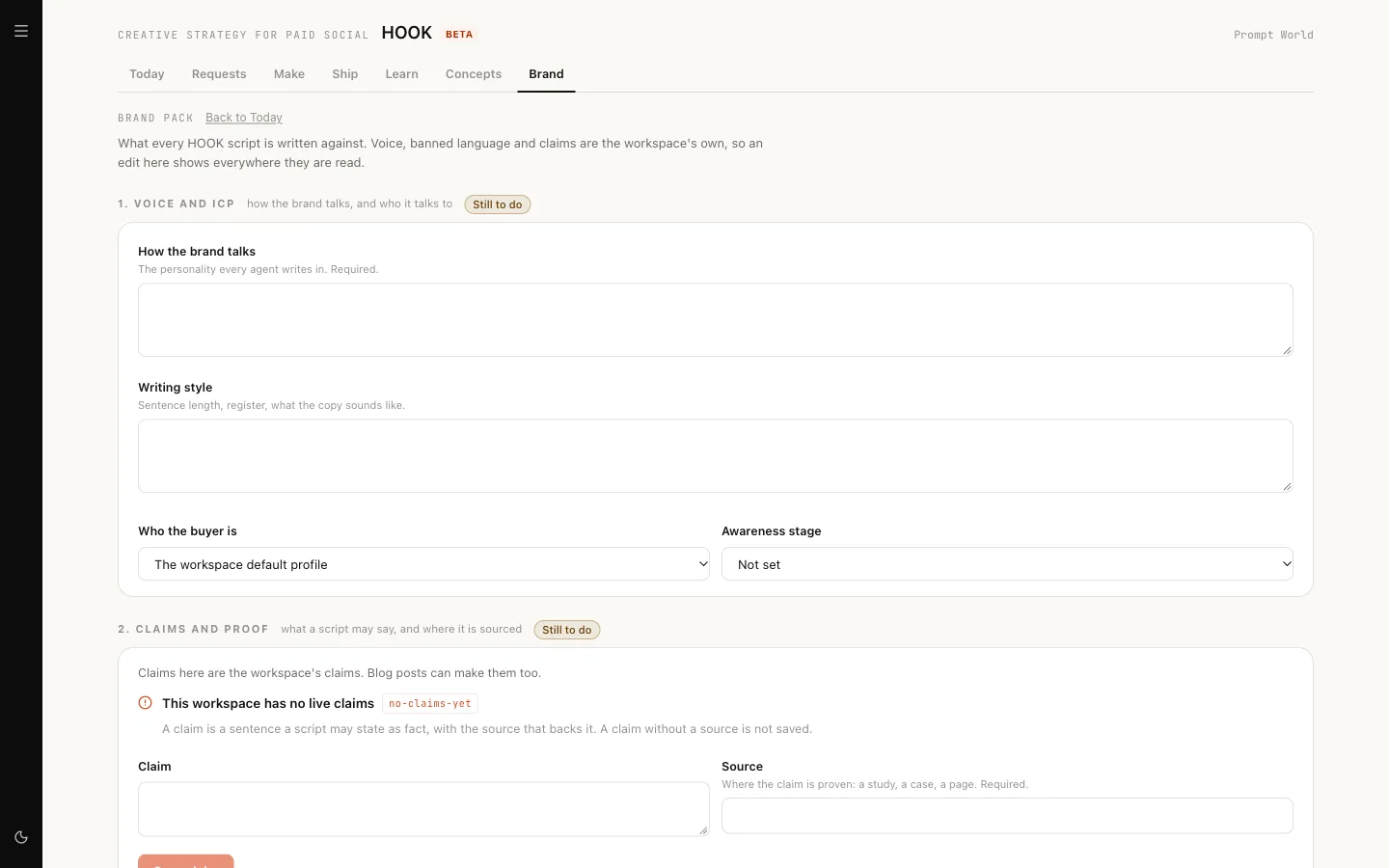
Nothing is made until the brand pack is complete. Open Brand (nagent.ai/admin/hook/brand-pack). It has four steps:
- Voice and ICP. Your voice comes from your brand book and your buyer from a customer profile in the Knowledge Hub. If you have no profile yet, Open ICP profiles takes you there.
- Claims and proof. Each claim you allow in an ad, with its proof. Add one and Save claim. For Prompt World: "Teams write usable prompts on day one", proved by workshop feedback scores.
- Banned language and offer. Words that must never appear, and what you are offering.
- Channel packs. Which formats you make for.
Click Save brand pack. The pack is complete when it has a voice, a buyer, at least one claim and at least one channel pack.
Voice and banned words are shared with the rest of your workspace, so changing them needs settings permission; without it they are read only, with a link to the Brand screen.
Our logic: an ad that claims what you cannot prove costs more than a weak ad. The brand pack is the list of what HOOK may say, and GATE checks against it.
Channel packs
Four packs exist, each with fixed format limits: Meta cold, 9:16, Meta retargeting, 1:1, TikTok Spark and Google RSA.
Step 2: Today and Requests
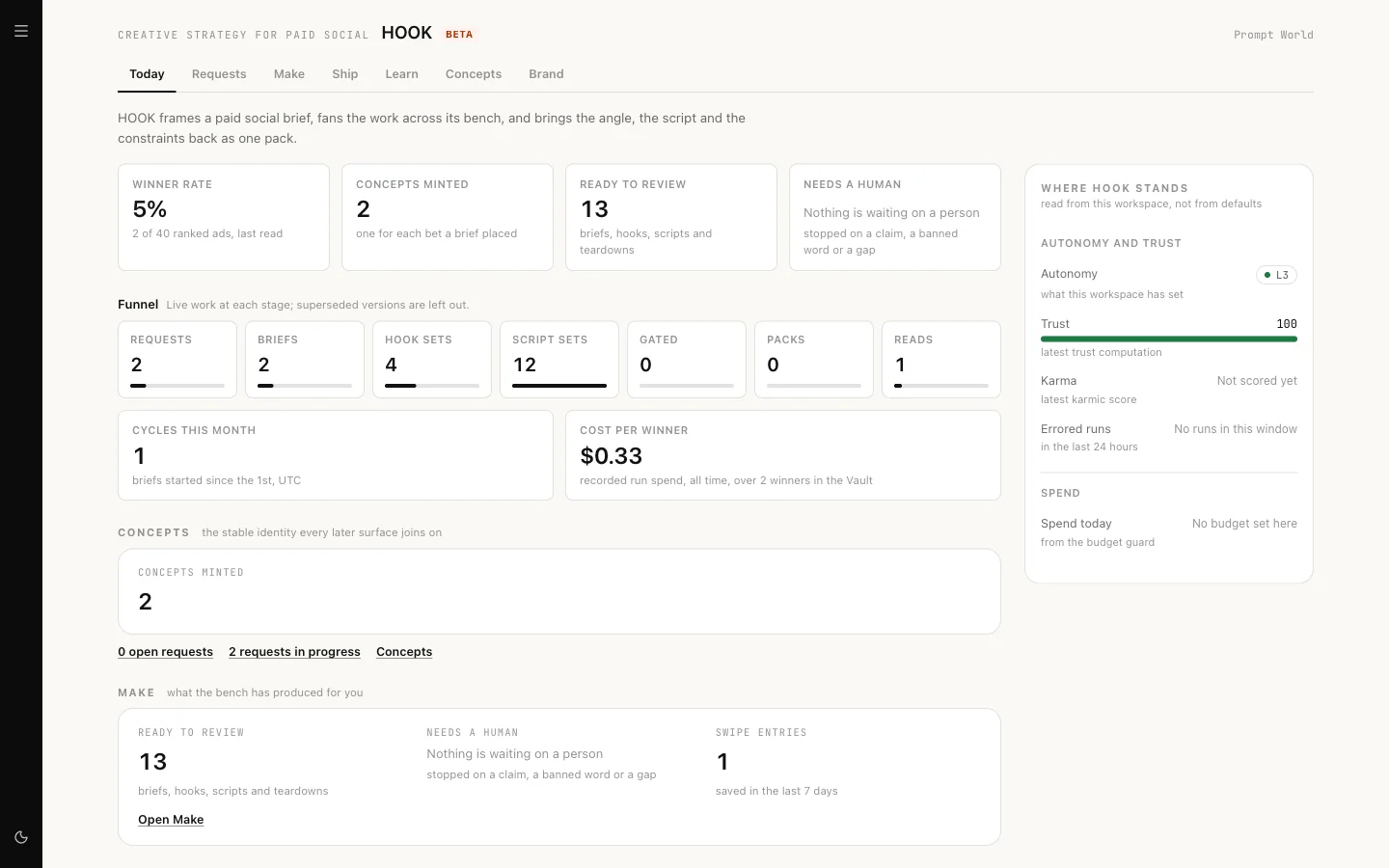
Today is HOOK's front page: Winner rate, Concepts minted, Ready to review and Needs a human, a funnel with Cost per winner, and cards for Make, the brand pack and ad performance. A box spells out What HOOK can do to an ad account.
Requests is how colleagues ask HOOK for work. Click New request, fill in What do you want?, Who is it for? and optionally Wanted by, then File or File and start.
Step 3: Make
Make has four tabs, in working order.
Research
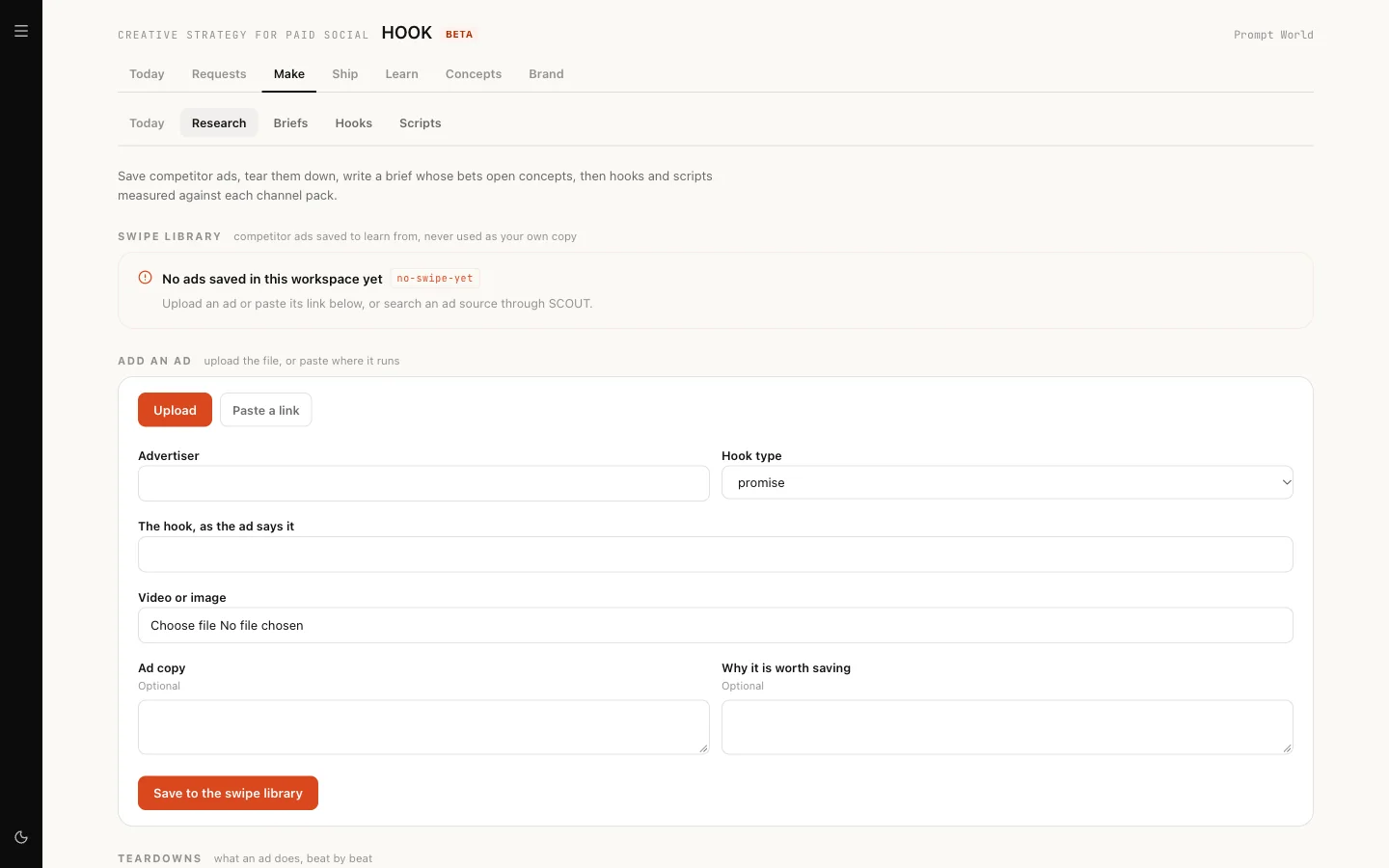
- Swipe library. Upload an ad or Paste a link, then Save to the swipe library.
- Searches. Search an ad source finds ads in public ad libraries. It needs an ad source connection set up for SCOUT; without one the page says "No ad source is connected for SCOUT".
- Teardowns. Tear this down breaks a video ad into its beats and what makes it work. The button quotes the cost as "up to $X". From a teardown you can Add to swipe or Brief from this.
Briefs
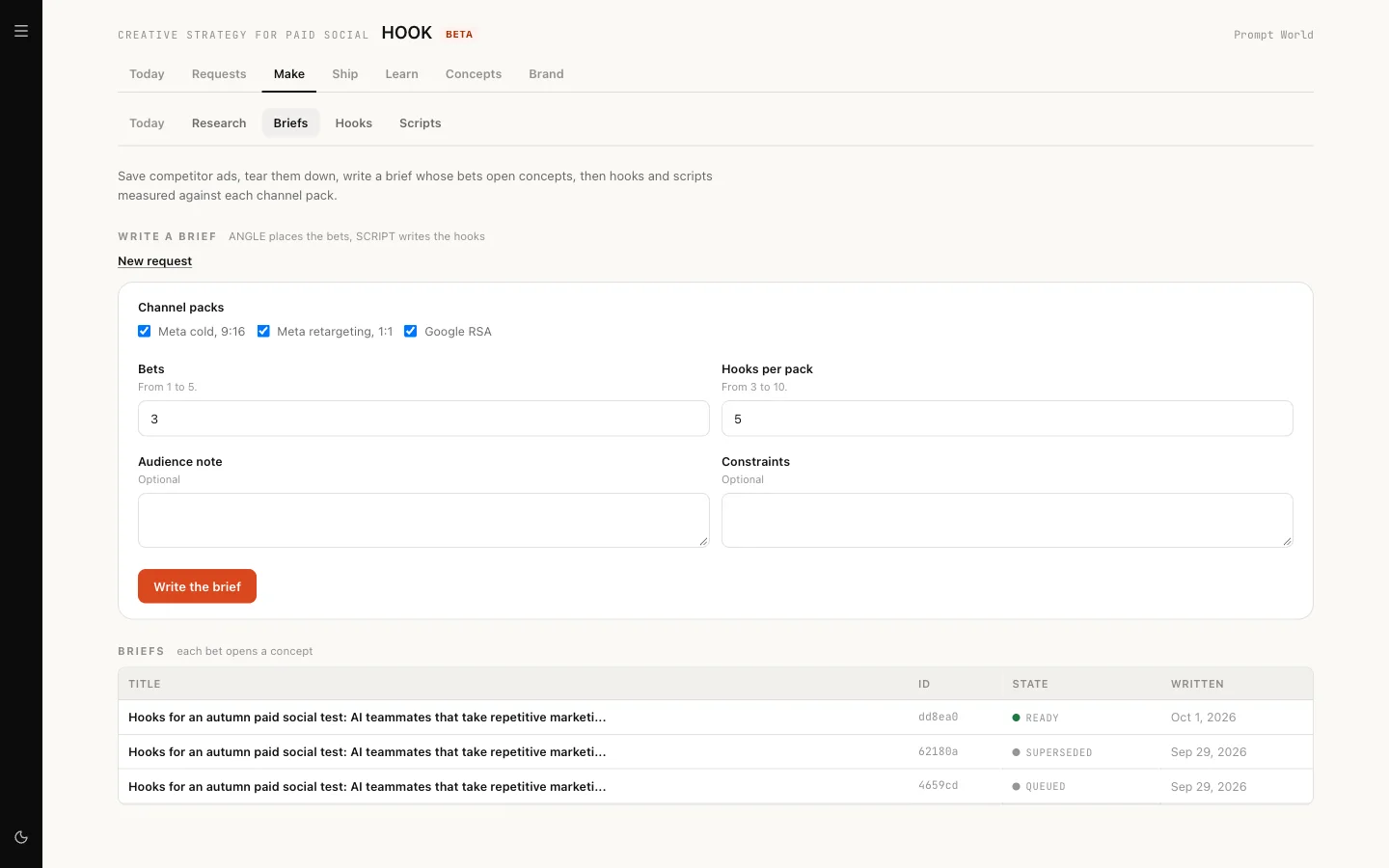
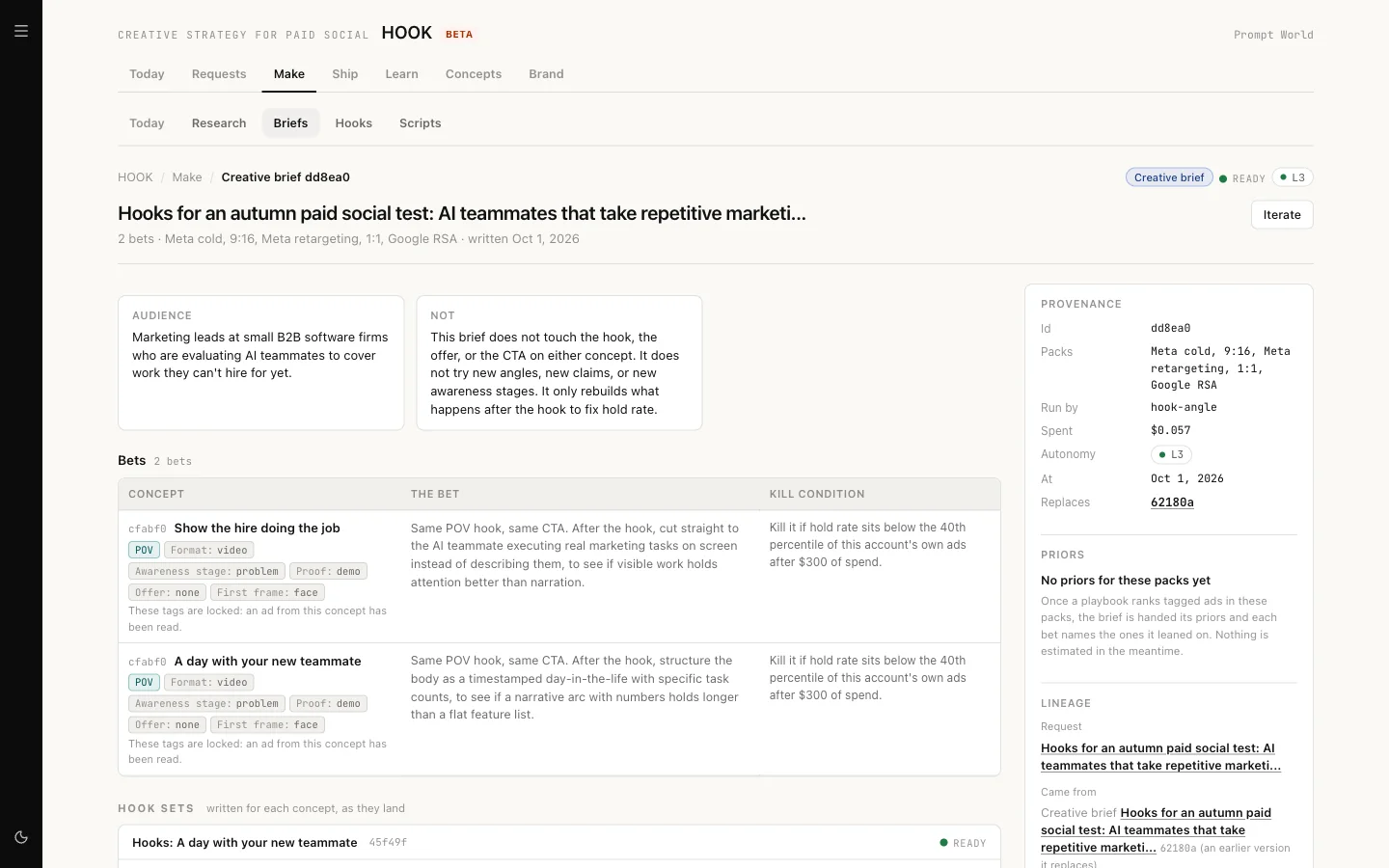
Write a brief. Choose the channel packs, the number of Bets (1 to 5), Hooks per pack (3 to 10), an audience note and constraints. ANGLE writes the brief, and each bet opens a concept.
Open a brief to read its bets:
Hooks
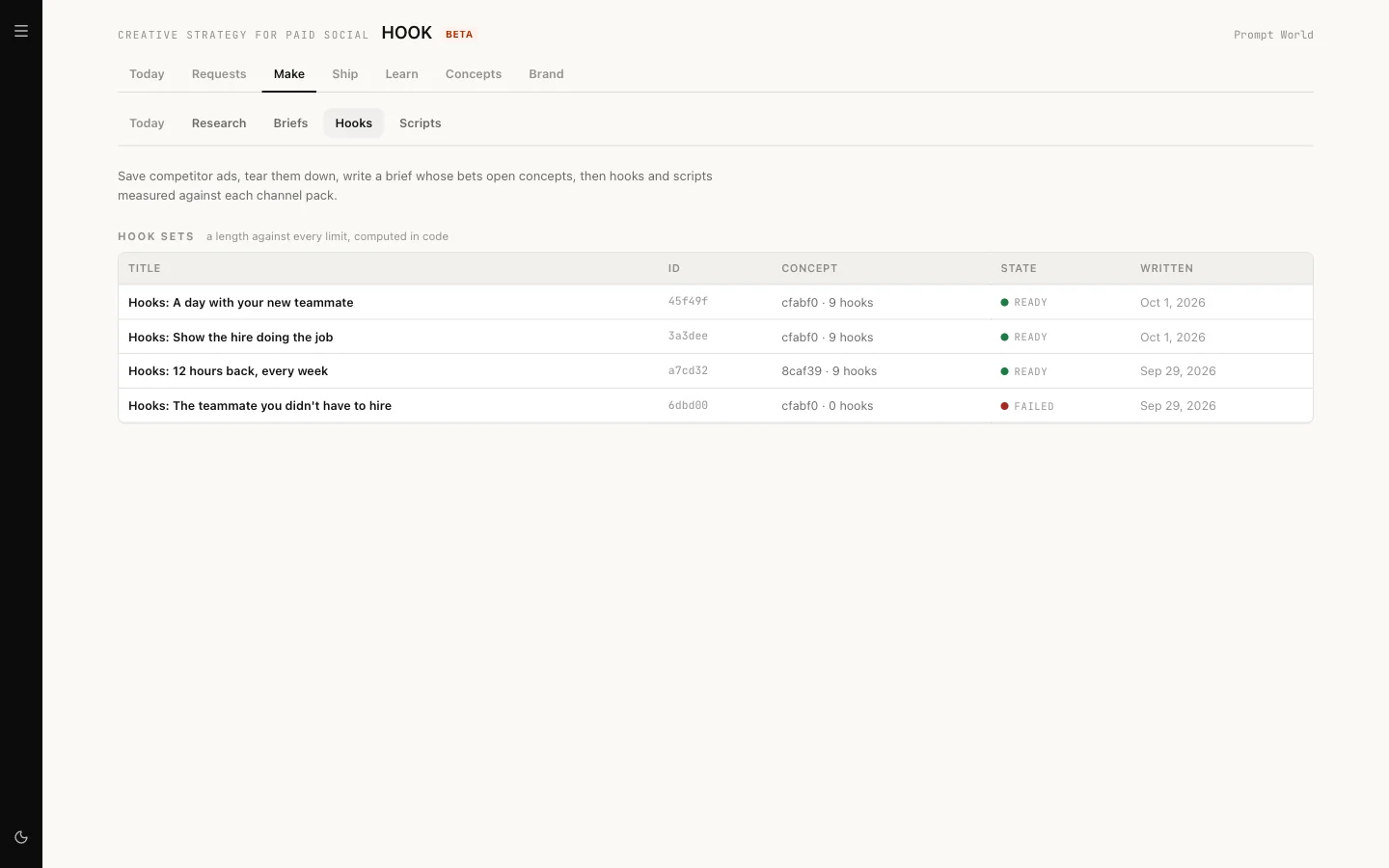
Each hook set can be Pinned. When you like a set, click Hand to SCRIPT and SCRIPT writes full scripts from it, usually within a minute or two. Iterate asks for another round.
Scripts
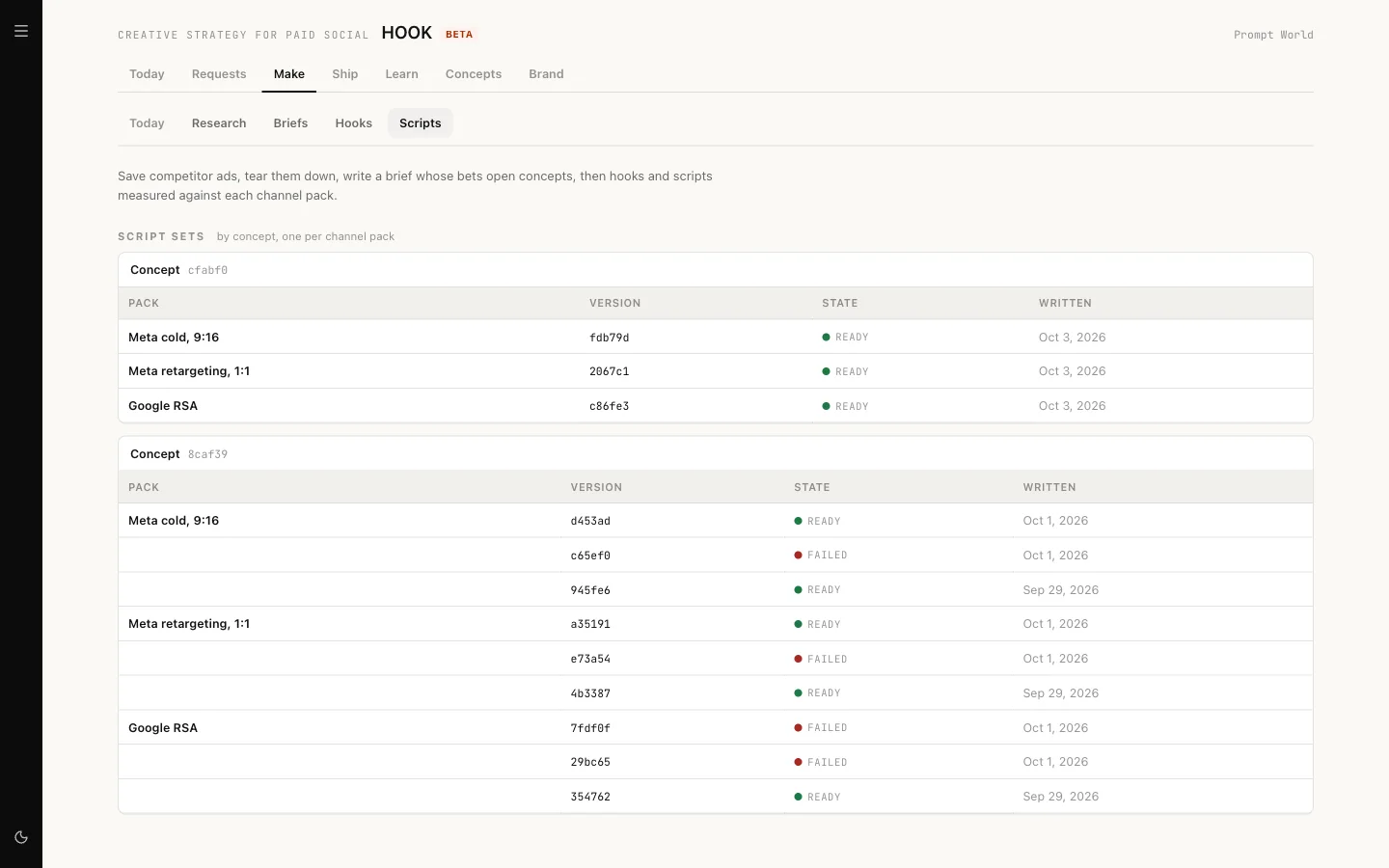
Scripts are grouped by concept, then by pack, with each version's state. If a version shows Failed, open it: the reason is on the version, not in the list.
Step 4: Ship
Ship has three parts.
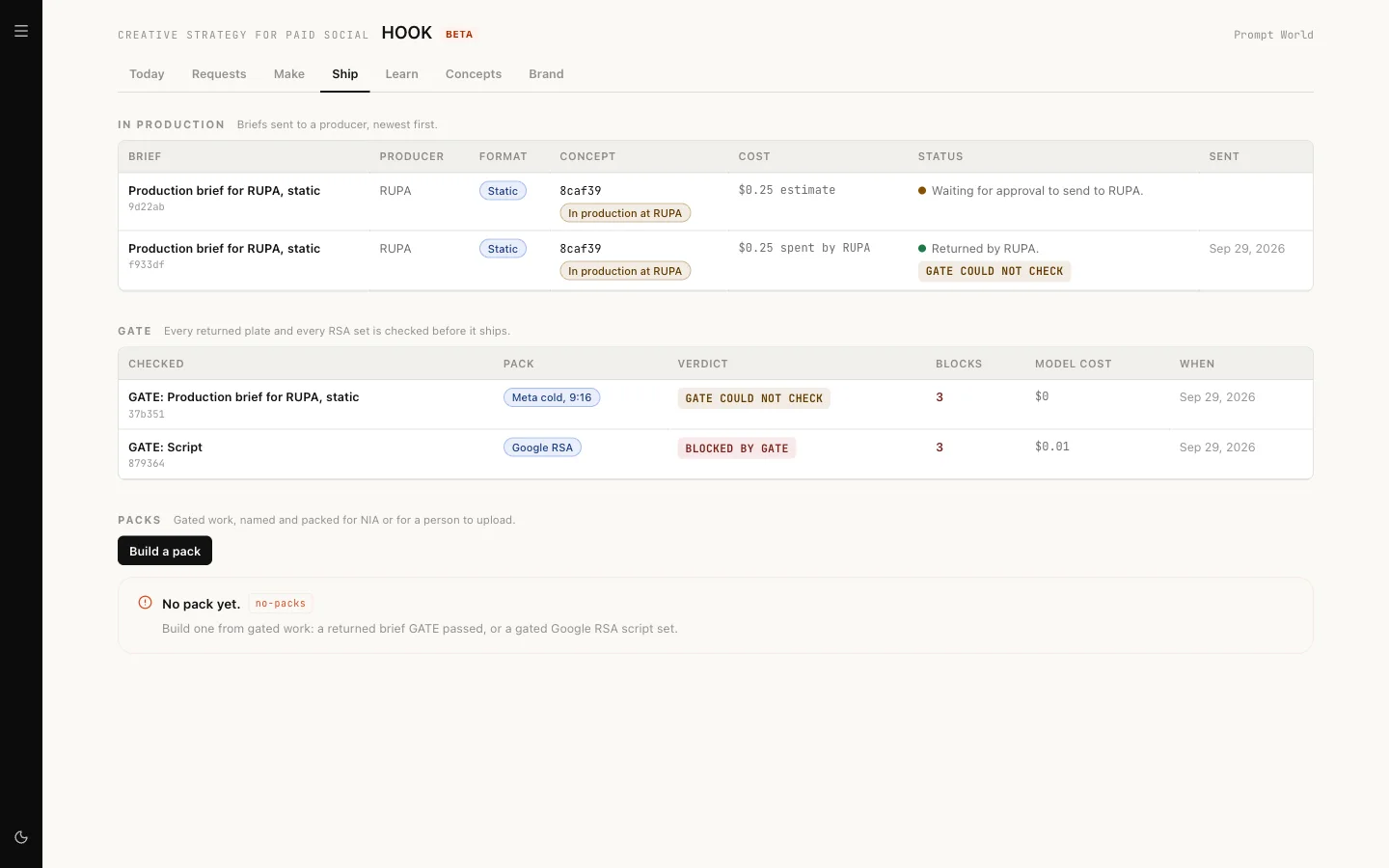
In production. From a ready script, Make a production brief. Choose RUPA for statics and carousels, then Send to RUPA; it shows "Estimate $X, on RUPA's budget." Video briefs go to Alpha and wait on Alpha's Jobs page.
GATE. Gate this copy checks every claim and line against your brand pack. A report lists the verdict and what blocks it. You can Send back to SCRIPT, Re-brief RUPA, Gate again or Override this block. GATE also checks that the images RUPA returns are the right size. It does not check video.
Packs. Build a pack gathers the approved ads into a campaign package. Download package gives you the files to upload to Meta Ads Manager yourself. For Google, Place with NIA hands the pack to NIA, who builds the campaign paused and asks for her own approval first.
Step 5: Learn
Learn closes the loop.
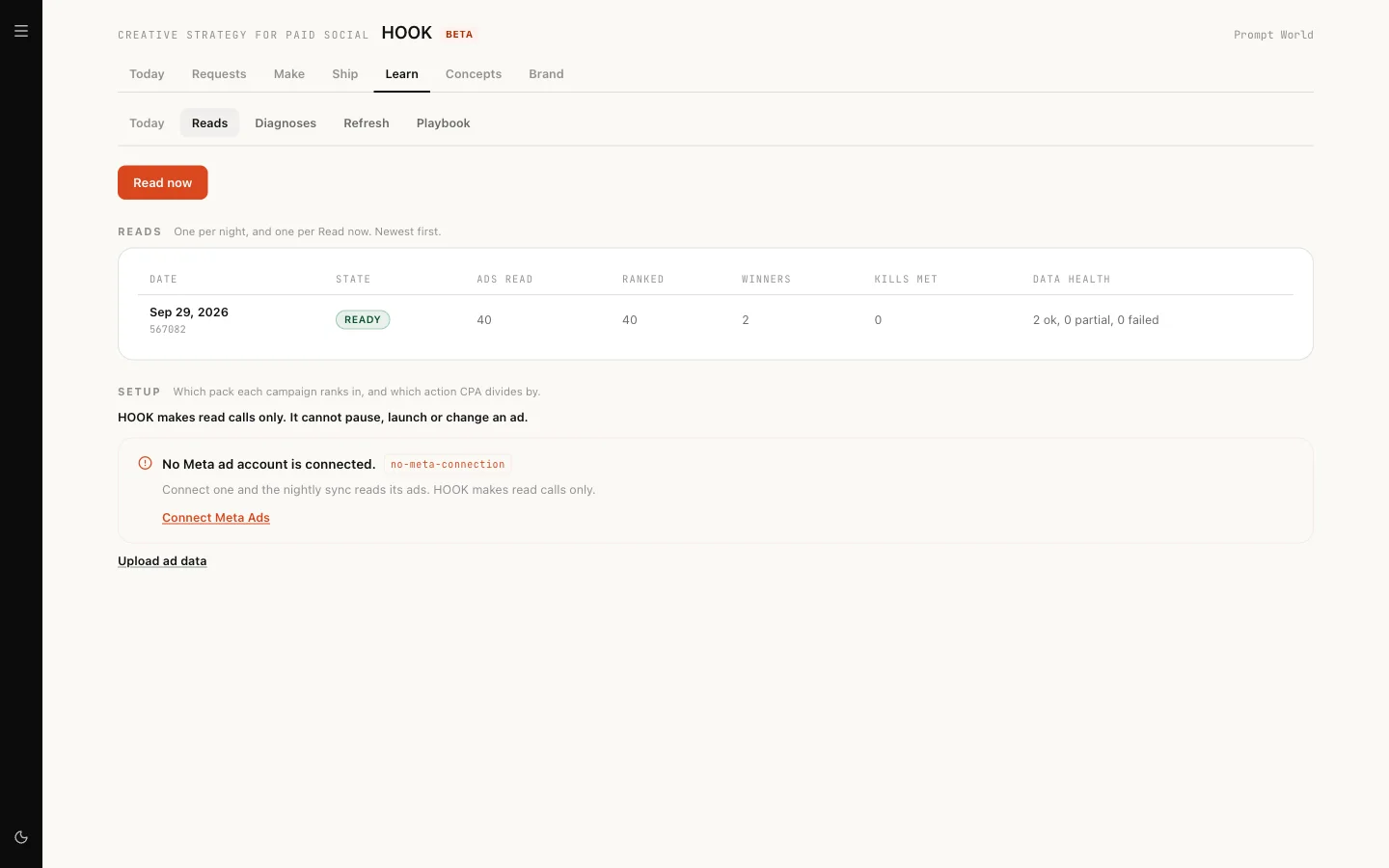
- Reads. Connect a Meta ad account from Today, or Upload ad data: a .csv or .xlsx export from Meta Ads Manager, Google Ads, TikTok Ads Manager or another platform, up to 10 MB. The file itself is not stored. Read now reads results on demand.
- Diagnoses. Why an ad is winning or losing, with Iterate with ANGLE or Write a brief.
- Refresh. A plan in three columns: Kill, Iterate, Next. "HOOK cannot pause an ad. A person pauses it in Meta Ads Manager."
- Playbook. What has worked, by tag, with winner rate and lift. Export CSV takes it away.
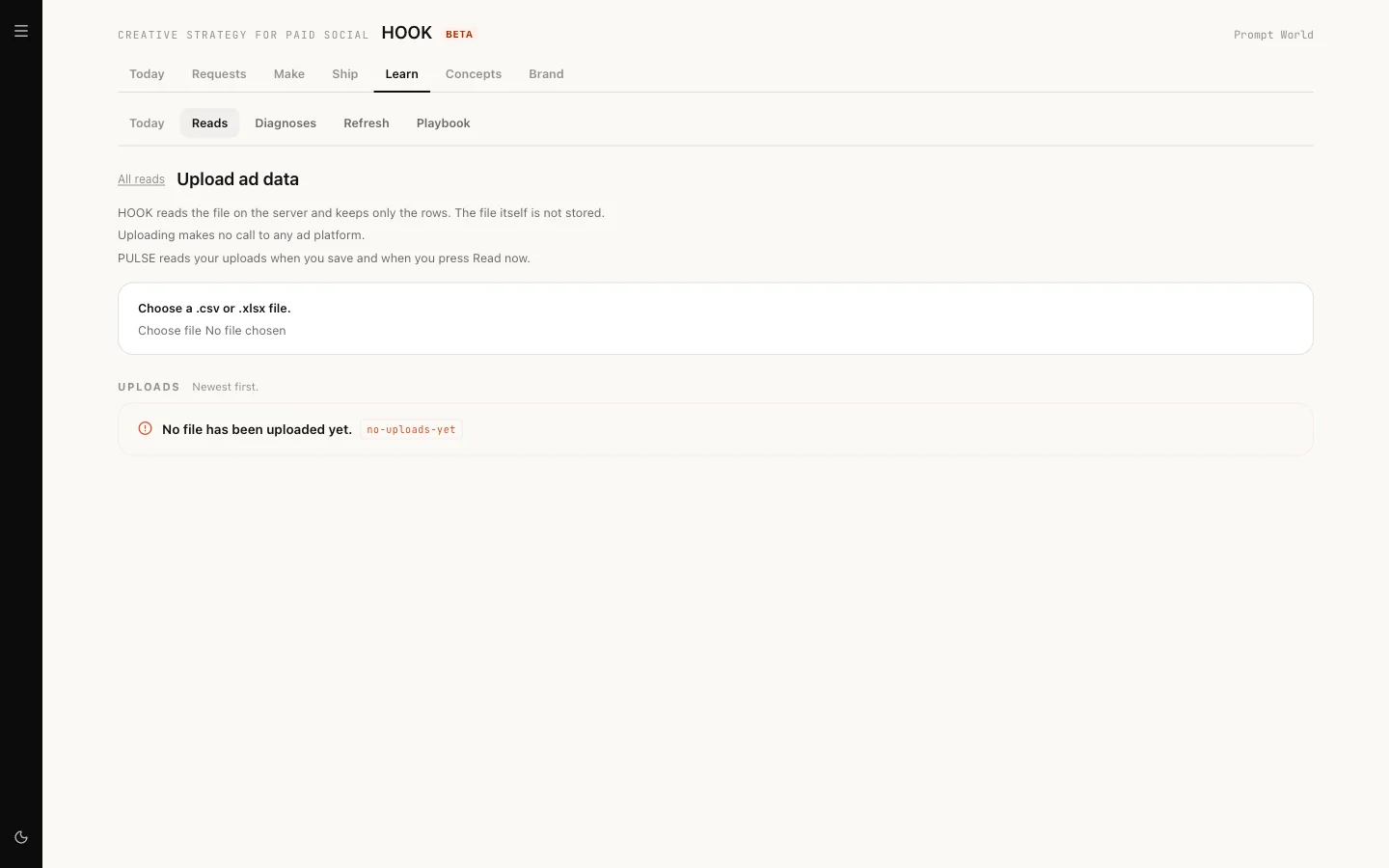
With Meta connected, reads and diagnoses run nightly and the refresh plan and playbook weekly. With uploads only, reads happen when you save a file or press Read now.
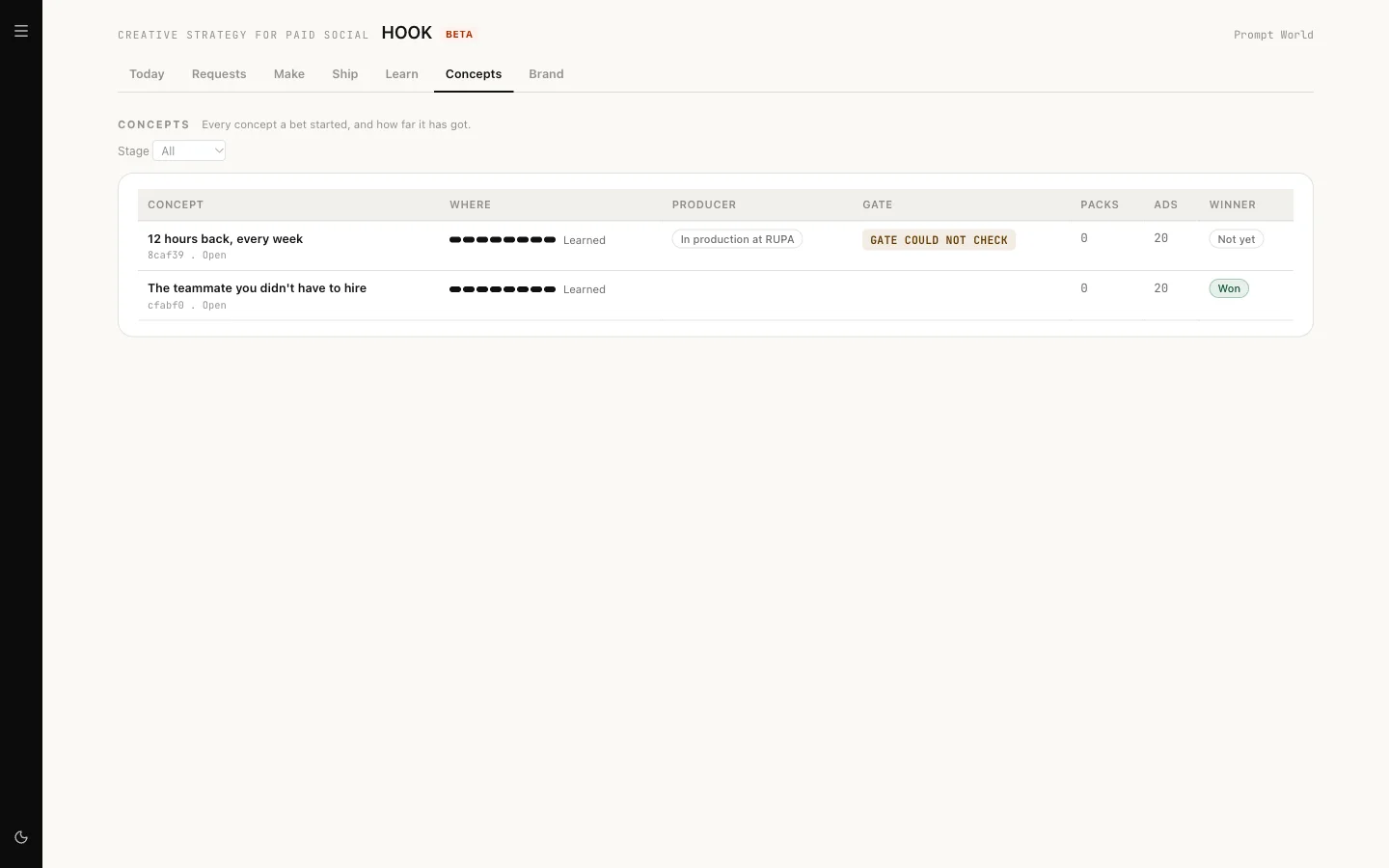
Concepts tracks every concept to whether it won.
What needs approval
HOOK's bench starts at level L3. At that level:
| Runs on its own | Waits for a person |
|---|---|
| Saving to the swipe library | Searching an ad source (paid) |
| Writing briefs, hooks and scripts | Tearing down an ad (paid) |
| Gating copy | Sending a brief to RUPA (spends RUPA's budget) |
| Reads, diagnoses, refresh plans, the playbook | Overriding a GATE block, at every level |
A run that waits shows Waiting for approval and an Open approvals button. That opens Actions, where a workspace admin approves it. Approvals for HOOK do not appear in your Inbox.
Overriding a GATE block always needs a second person: "The person who asked for an override cannot approve it."
HOOK never launches, pauses or changes a live ad. A person uploads, pauses and spends in the ad platform.
Our logic: paid calls and anything that reaches an ad account wait for a person; drafting, checking and reading do not, because they cost little and change nothing outside your workspace.
What it costs
Costs appear where the work is: Spend today on Today, "up to $X" on a teardown, the model cost on each GATE report and playbook, and the estimate on a RUPA brief. Cost per winner on Today counts HOOK's own spend only, never your ad spend. If your workspace goes over its daily limit, HOOK stops all work until the limit resets.
Limits today
- Meta is read only: HOOK cannot place Meta campaigns. Download the package.
- TikTok packs cannot be placed, and no TikTok video is gated yet.
- Google Ads results are not read back.
- GATE does not check video.
- Talking to HOOK in chat uses a general prompt, not HOOK's full workflow.
- In a new workspace every HOOK run may wait for approval until Nagent finishes setting HOOK up. If that happens, contact support.
Where to go next
- RUPA, the image studio: where static ads are made.
- The Knowledge Hub: where your buyer profile lives.