
Browse documentation
Prebuilt teams
The three teams Nagent prebuilds, who each one seats and who leads it, how the sign-up cards differ from what installs, and how to add a team after sign-up.
A prebuilt team arrives staffed, scoped and ready to brief
A prebuilt team is a set of agents Nagent has already put together for one outcome: a lead, the specialists who report to it, a charter, and the tools they work with. You add the people and the specifics of your business on top.
Your workspace is arranged in levels:
- The organisation, which is your workspace.
- Departments, such as Sales or Marketing, each owning one outcome.
- Teams, each with a lead agent and its own room.
- Agents, each with a level that decides what it may do on its own.
- People, each with a role. See people and roles.
Choosing teams at sign-up
The first sign-up screen, Hire your AI team, shows four department cards. Each card names the department's chief of staff and team leads, and tags each agent Live, Coming soon or Beta.
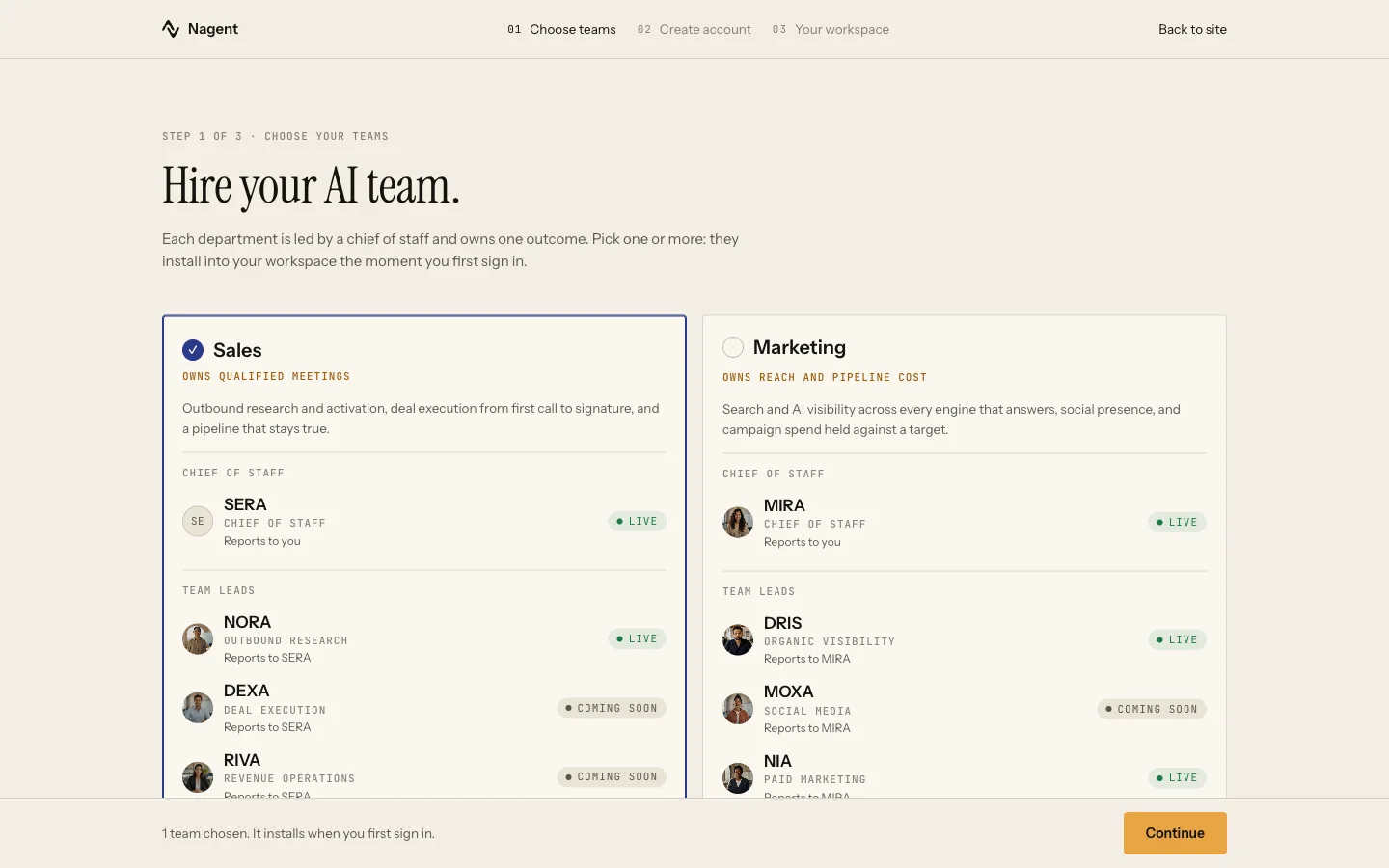
Three of the cards install a team when you first sign in. The fourth, Customer Experience, links to Convexa, a separate product on its own subscription; nothing installs in your workspace when you choose it. The Content card also links to Kinetiq, our video product, which has its own sign-up.
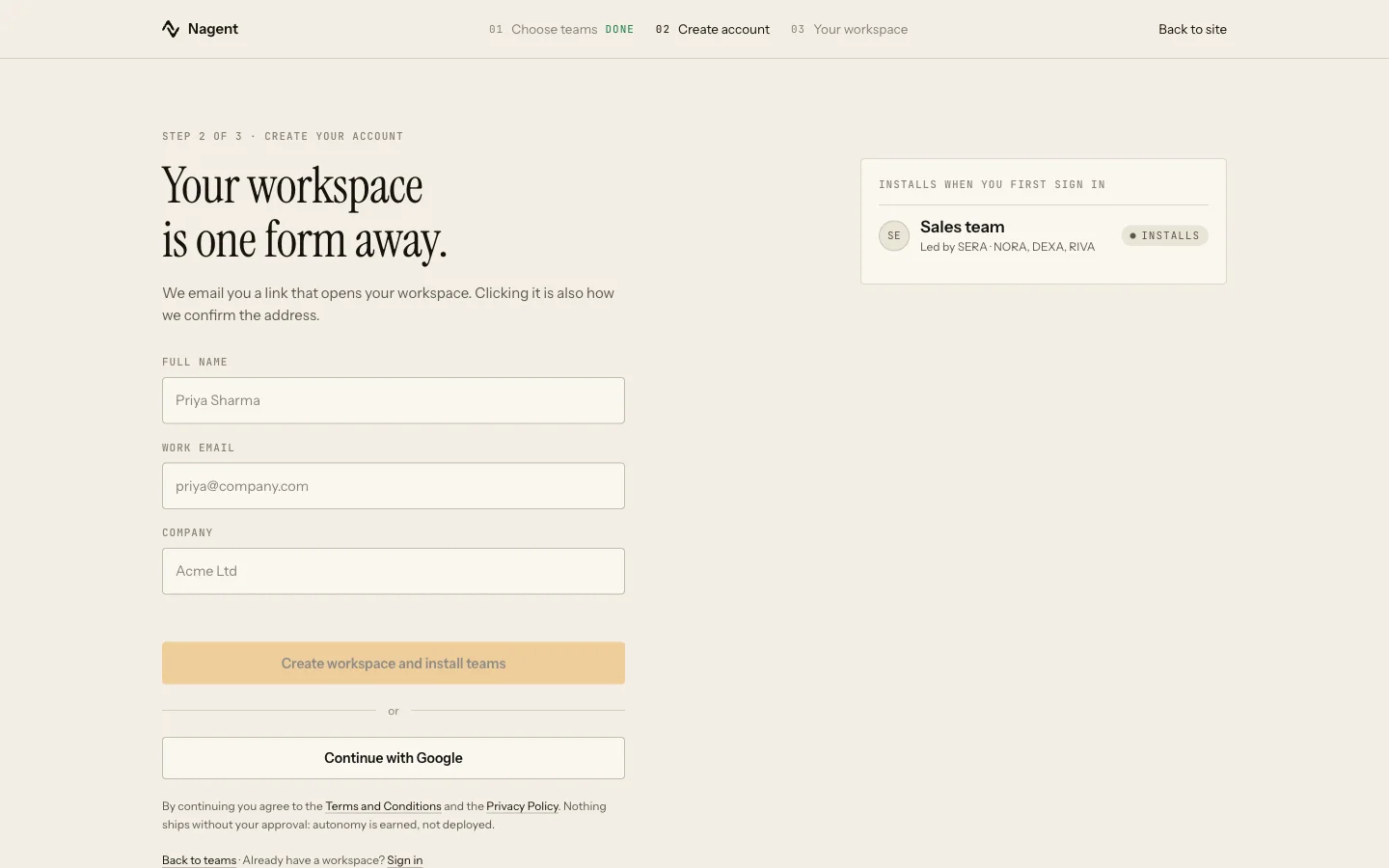
The second screen lists what will install, under Installs when you first sign in. The whole sign-up is walked through in signing up.
The three teams
What a team seats is set by its blueprint, not by the card. Today:
| Team | Owns | Led by | Seats |
|---|---|---|---|
| Sales | Qualified meetings | NORA | NORA, DEXA, RIVA, LIPI, VANI |
| Marketing | Reach and pipeline cost | MIRA | MIRA, CREA, DRIS, NIA, RUPA |
| Content | Output and the brand line | CREA | CREA, RUPA, FOLIO |
FOLIO is the long-form seat. It arrives as one name and brings its own working agents with it.
Where the cards and the install differ
- SERA, drawn on the Sales card as chief of staff, is not seated yet. Your Sales team is led by NORA.
- DEXA and RIVA are seated with the Sales team even though their cards say Coming soon.
- MOXA is on the Marketing card as Coming soon and is not seated. See MOXA.
- HOOK is on the Marketing card as Beta and is not part of the Marketing install. See HOOK.
- The Content card shows a video studio, a presentation maker, a landing page maker and an e-mail template maker. None of them is seated by the Content install. For video, see Alpha video studio.
A team arrives working: its agents are seated at a level that lets the lead proceed on a stated assumption rather than asking about everything. An outbound e-mail NORA sends is gated separately, and on a new workspace every one waits for a person's approval. See autonomy and governance.
For the Sales team in depth, see the Sales team.
Adding a team after sign-up
A team you did not choose at sign-up can be added later.
- Open Welcome. Your installed teams are listed under Your teams, ending with an Add a team tile.
- Choose Add a team, then Choose a prebuilt team.
- Each card shows what the team owns and Arrives with, its roster. A seat that is not built yet is named underneath, for example "SERA is not here yet."
- Press Use this team. The button reads Seating while the agents are seated, and the team then appears under Your teams.
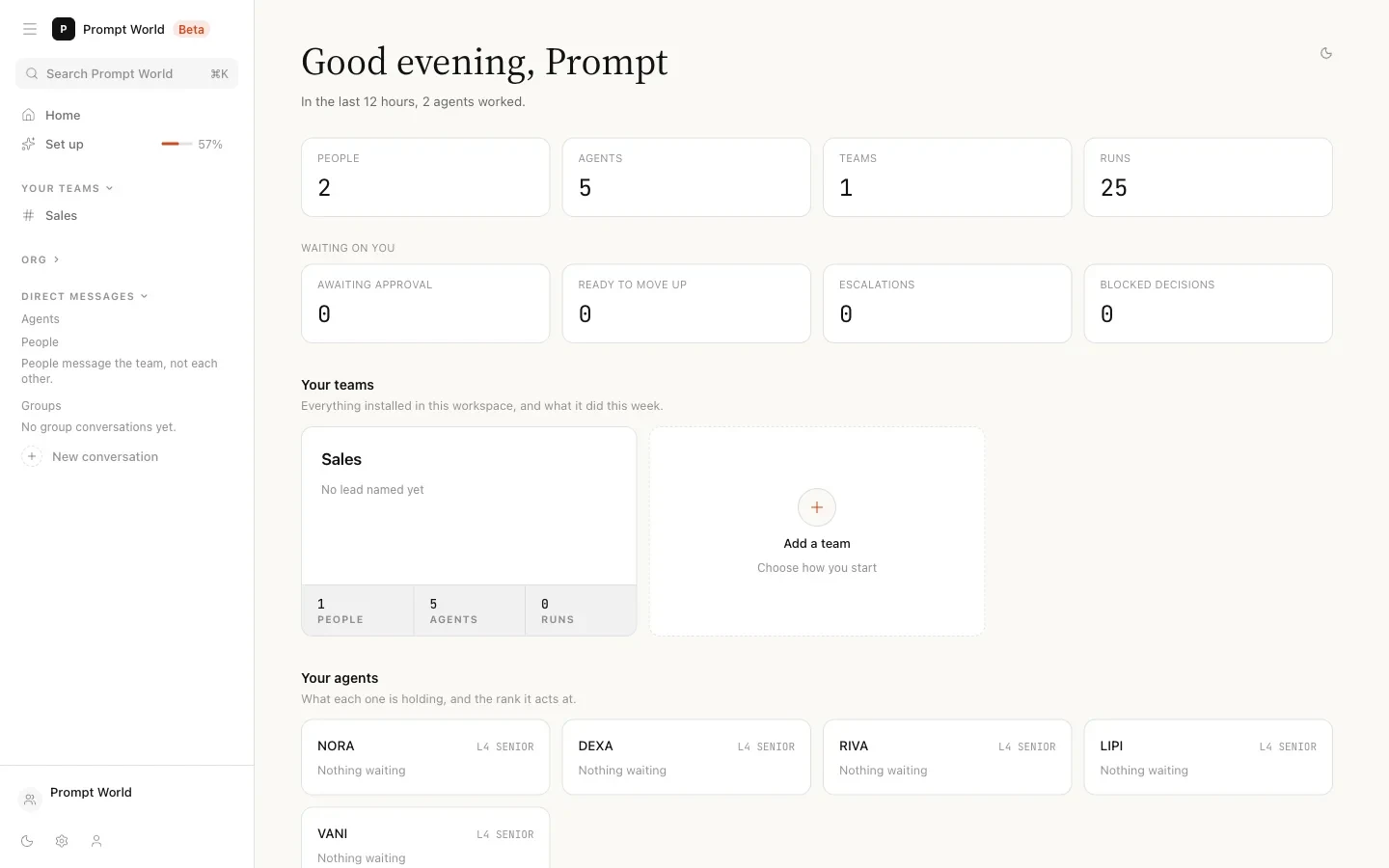
Seating a team needs the settings write permission, which a Workspace Admin holds. Anyone else sees "Seating a team needs the settings:write permission. Ask a workspace admin."
The same tile offers Create a new team, which starts from a blank charter and the agents you pick. See setting up a team.
Our logic
The cards show the whole department so you can see where it is going. The install seats only agents that work today, because a seat that cannot act would take briefs and do nothing with them. When a seat is not built, the screen says so by name rather than leaving it out.
Where to go next
- Signing up: the two sign-up screens and the install.
- Your first hour: what to do once the teams are seated.
- The team room: where each team works.
- Setting up a team: building a team of your own.