
Browse documentation
Approvals and the Inbox
What "queued for approval" means, where held work waits, how to approve or refuse it on the Actions page and in the Inbox, and who may decide what.
An agent that is not trusted with something asks first
Every time an agent tries to act, Nagent decides one of three things before the action runs.
| Decision | What happens |
|---|---|
| Fire | The action runs now and is logged |
| Queue | The action does not run. An approval request is written and waits for a person |
| Refuse | The agent is paused, switched off or muted for that action; nothing runs and the refusal is logged |
The rule is simple to state. Pure reads always run. For anything with a side effect, Nagent compares the agent's level with the level that action needs. If the agent's level is high enough, it fires; if not, it queues. Some actions need approval at every level and can never be earned: changes that remove a page from search or point it elsewhere, for example. See autonomy and governance.
Queued for approval therefore means: the agent got as far as deciding what to do, wrote it down, and stopped. Nothing has left the building.
Our logic
Approval sits before the irreversible step, not after it. An e-mail that has been sent cannot be unsent, so the time to look at it is while it is still a draft. Each approval you give is also evidence: it is how an agent builds the record that earns it more room later.
Where held work waits
Held work shows up in three places today.
| Where | What waits there |
|---|---|
| The team room's agent surface, under Waiting on you | Work that team's agents are holding |
| Actions, Awaiting approval tab | Every agent action held for approval in the workspace |
| Inbox | Approval requests from the approvals queue, autonomy promotions, escalations and failed runs |
An agent's held action, for example a drafted outreach e-mail waiting to be sent, appears in its room and on the Actions page. It does not appear in the Inbox yet, and Home's waiting count does not include it. When you expect an agent to be waiting on you, check the room or the Actions page.
The Actions page
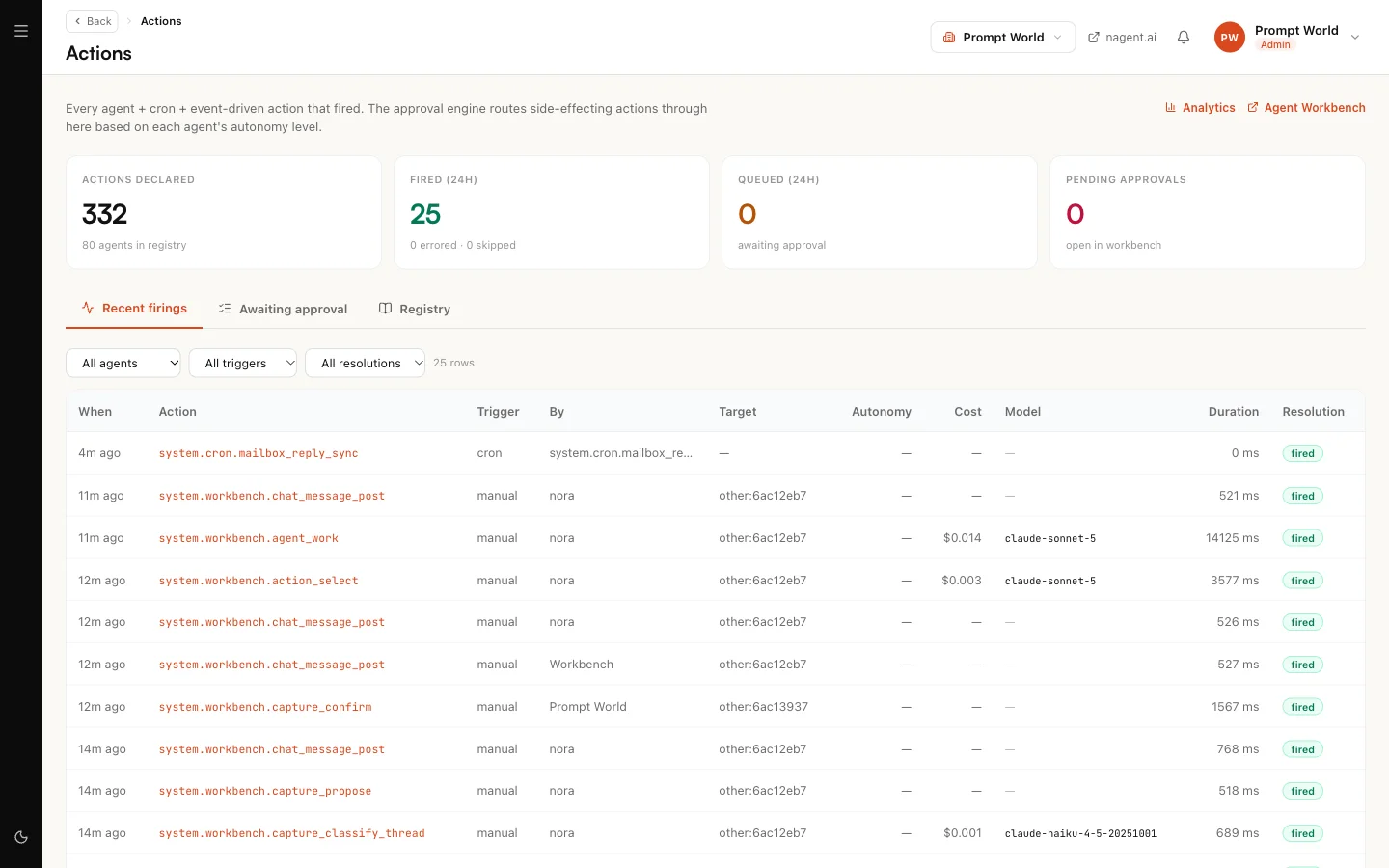
Actions is the full record of what agents did. Its description reads: "Every agent + cron + event-driven action that fired. The approval engine routes side-effecting actions through here based on each agent's autonomy level." It has three tabs.
Recent firings
Every action, newest first, with when it ran, the action, what triggered it (a chat, a schedule, an event, a person, or another agent), its target, the agent's autonomy at the time, its cost, how long it took, and its Resolution: fired, errored, queued or skipped. Filter by agent, trigger or resolution.
Some rows belong to the system rather than to one of your agents, for example a scheduled mailbox check. They are part of how the workspace runs, not work anyone asked for.
Awaiting approval
Every action held for approval, filtered by Pending, Approved, Dismissed or Expired. CRM leads narrows it to approvals raised on leads.
To decide one:
- Open Awaiting approval with Pending selected.
- Read the action name (click it for what the action does), its risk level and its target.
- Press Approve, or press Dismiss and add an optional note saying why.
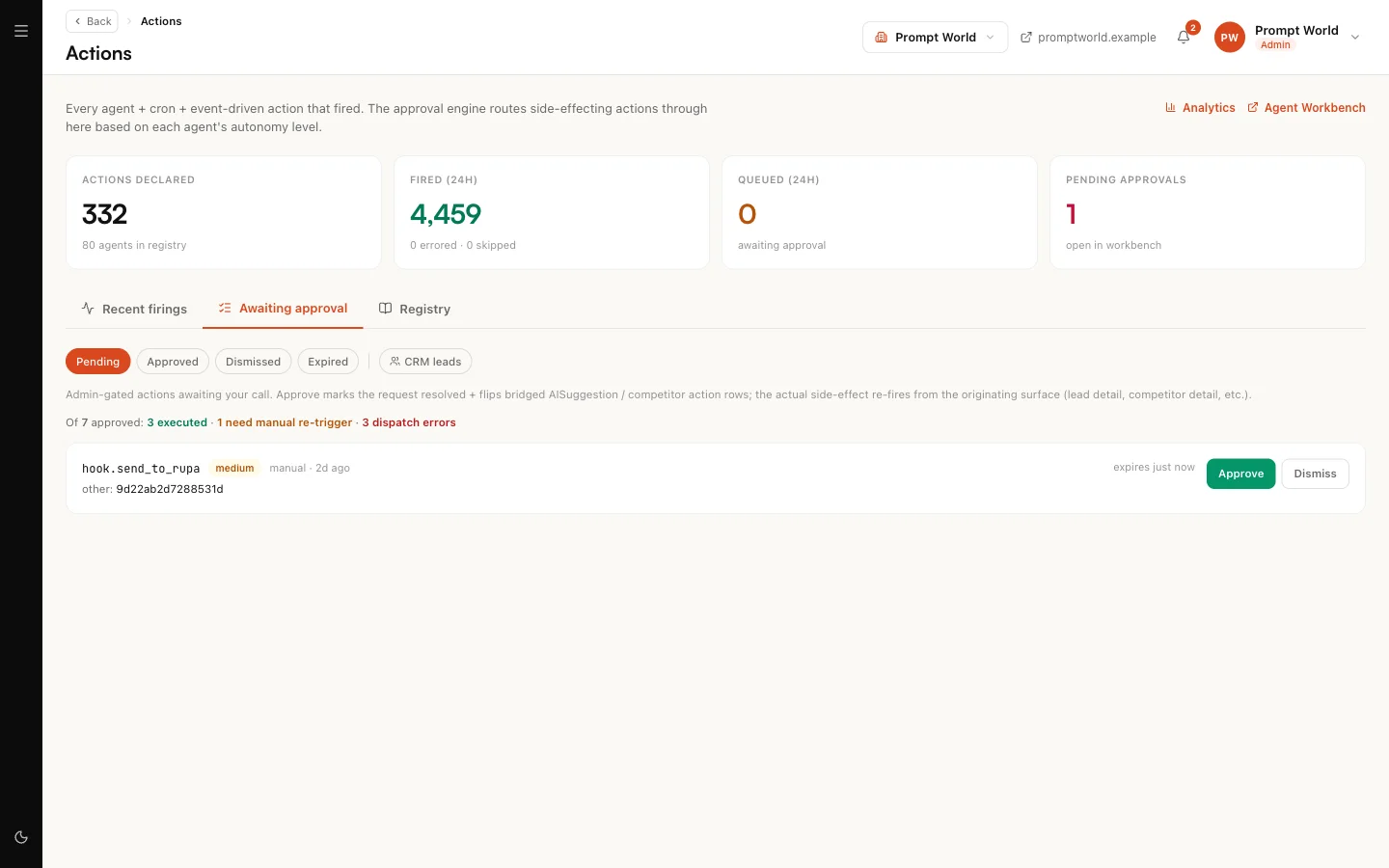
After Approve, a message tells you what happened next:
| Message | Meaning |
|---|---|
| Approved, executed via (dispatcher) | The action ran |
| Approved, no auto-dispatch for this action | It is approved but did not run by itself. Run it again from where it started, for example the lead's page |
| Approved, but dispatch failed | It is approved, and running it failed; the message says why |
Approving and dismissing on this page needs the Workspace Admin role.
A request nobody decides expires. High and critical risk requests expire after 24 hours, everything else after 7 days. An expired action never runs.
Approving once covers the next hour. When you approve an action you started yourself, the same action started by you again within 60 minutes runs without asking. The window is per action and per person. An agent that has been paused or switched off still stops, whatever you approved.
Registry
The list of every action the platform knows about, with what each one needs before it may run unattended. It is a reference, and it lists actions for agents and teams you may not have installed.
The Inbox
The Inbox is "everything waiting on a person in this workspace, oldest first". It gathers four kinds of item, each with a chip so you can look at one kind at a time.
| Kind | What it is | What you can do |
|---|---|---|
| Awaiting approval | A request in the approvals queue, for example a social post or a reply drafted for a customer | Approve or Reject |
| Ready to move up | A promotion: a kind of action has built a clean record and can be allowed to run with less sign-off | Raise autonomy or Leave as it is |
| Escalations | Something a team raised for a person | Open it and act on the thing itself |
| Blocked decisions | A run that failed | Open it to see what it was trying to do |
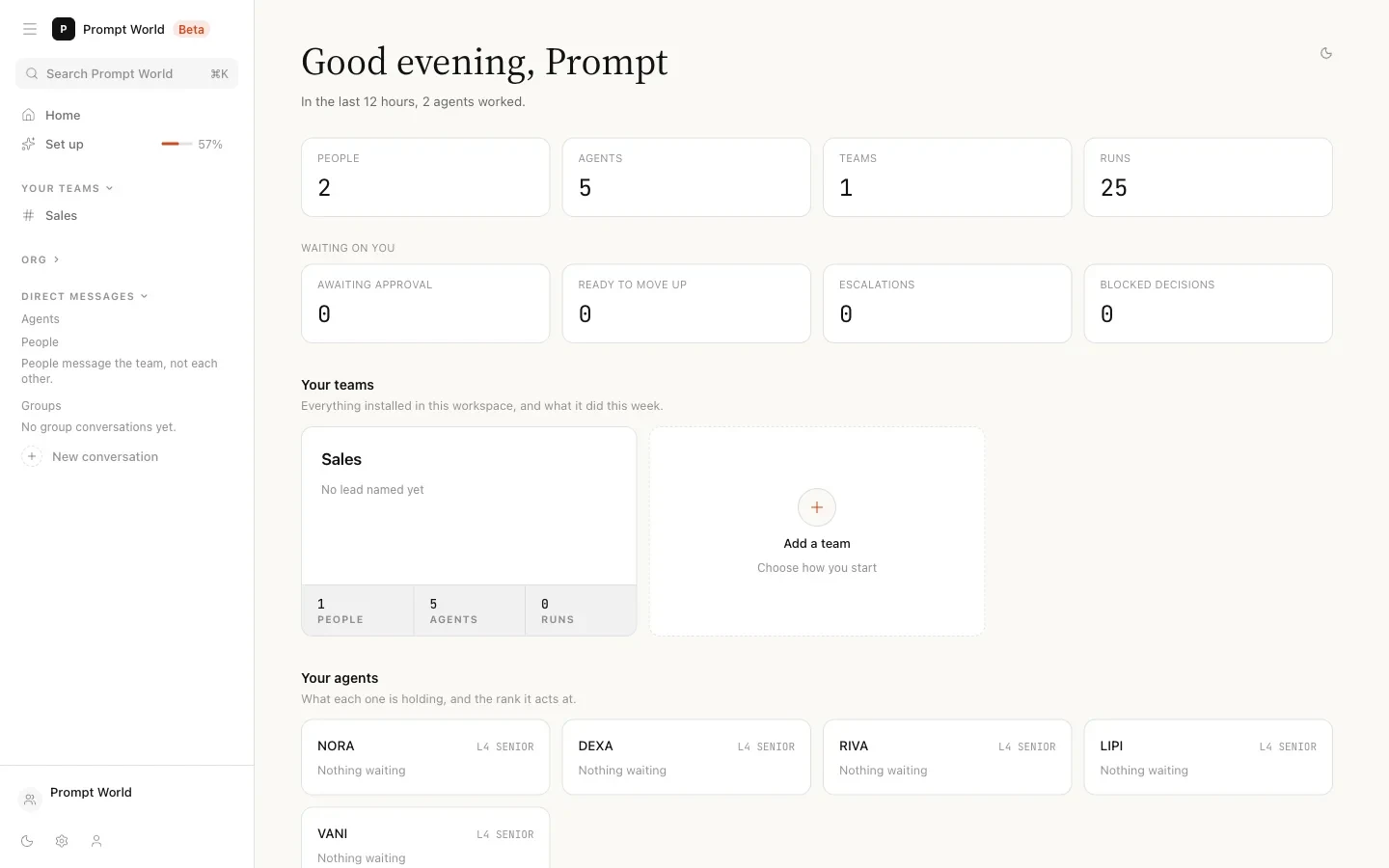

When the Inbox is empty it says "Nothing is waiting on you. Approvals, autonomy upgrades, escalations and failed runs all land here."
Deciding in the Inbox
- Pick a row on the left. The detail opens on the right.
- Press Approve or Reject (for a promotion, Raise autonomy or Leave as it is).
- A confirmation asks why. The reason is optional, and it is "written to the record with your name on it". Agents read it before their next run, so a sentence here teaches them.
- Confirm. The row leaves the list only once the decision is recorded.
The keyboard works too: J next, K previous, A accept, D refuse, R jump to the item's own page.
Who may decide what
- Awaiting approval items are decided by people with the Approver role. A Workspace Admin sees them with the note "You can see this, and someone with permission to decide it has to act on it."
- Ready to move up items are decided by a Workspace Admin.
If part of the queue is hidden from you, the Inbox names it, for example "Not shown: Awaiting approval, which you do not have permission to see." An empty list then means nothing is waiting in the parts you can read, not that nothing is waiting at all.
If you are the only person in the workspace, invite an Approver so requests in the approvals queue have someone who can decide them. See people and roles.
Where to go next
- Autonomy and governance: why an action queues, and how that changes.
- The team room: where most held work first shows up.