
Browse documentation
NIA: performance marketing
What NIA reads in your Google Ads account, what she proposes, why every live change to your ads waits for your approval, and where to work with her.
NIA proposes; nothing changes your ads until you approve
NIA is the Marketing team's performance marketing teammate. She reads your Google Ads account, answers questions about it in plain English, builds new Search campaigns from a brief, and proposes changes to live ones: pausing a campaign that wastes spend, moving budget, tuning bids, adding or pausing keywords.
Every one of those changes is held for a person. That is not a setting you have to find: NIA starts at a level below the one her live actions need, so each proposal waits on Actions until someone approves it.
| Field | Detail |
|---|---|
| Team | Marketing, led by MIRA |
| Starting level | L2, Assisted: every action queues for human approval |
| Level her live writes need | L3 |
| Screens | Advertising and Google Ads |
| Agent page | Agent workbench, NIA |
What NIA reads
NIA works from your connected Google Ads account and the performance data Nagent stores from it: campaigns, ad groups, ads, keywords, search terms, spend, conversions, cost per conversion and return on ad spend, for whatever date range you ask about. She does not need the data pasted in; she fetches it when she needs it.
Connecting Google Ads
- Open Google Ads.
- On Overview, choose to connect an account. Google's consent screen opens.
- Pick the account to connect. You do not need to look up an ID.
- Sync, so the latest data is stored.
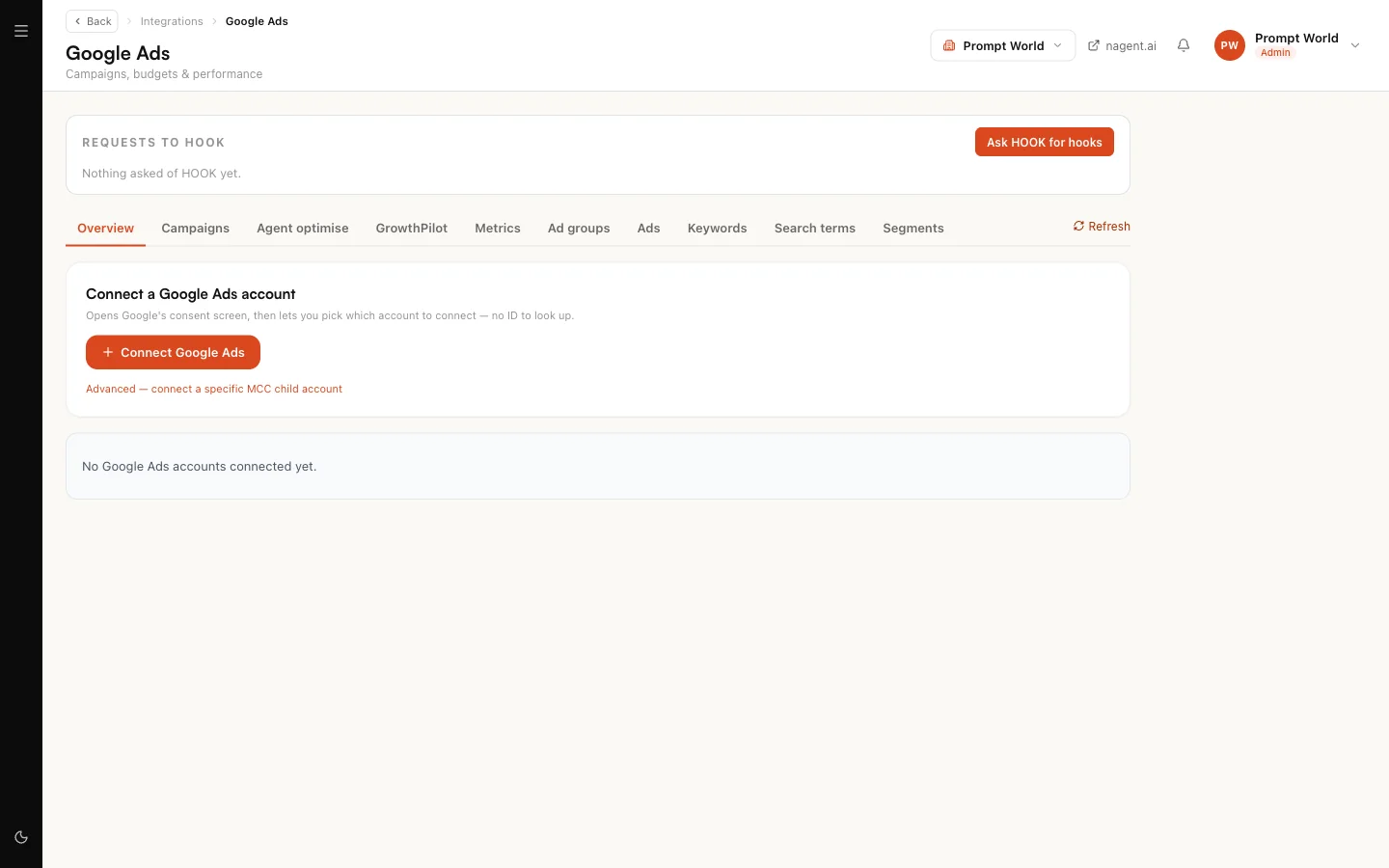
If the page says Google Ads is not available on this deployment, contact Nagent support; it has to be enabled for the service before any workspace can connect.
What NIA proposes
| Action | What it does to the live account | Runs on its own from |
|---|---|---|
| Build Search campaign | Creates a campaign with ad groups, ads and keywords, always paused | L3 |
| Pause campaign | Stops a campaign that is wasting spend | L3 |
| Resume campaign | Starts a paused campaign serving again | L3 |
| Reduce budget | Lowers a campaign's daily budget | L3 |
| Increase budget | Raises a budget, as the receiving side of a reallocation | L3 |
| Set target CPA | Tightens the bidding target on a campaign | L3 |
| Set CPC bid | Sets a manual bid on an ad group or keyword | L3 |
| Pause keyword | Stops a wasteful keyword | L3 |
| Resume keyword | Starts a paused keyword again | L3 |
| Add keyword | Adds a keyword the campaign is missing | L3 |
| Add negative keyword | Excludes a wasteful search term | L3 |
| Edit ad copy | Replaces headlines or descriptions on a live ad | L3 |
| Change geo targeting | Adds or excludes locations | L3 |
NIA starts at L2, so all thirteen queue. Installing the Marketing team cannot seat her higher than L2, whatever level the rest of the team starts at.
Each change is validated as a dry run before it can be queued.
Building a campaign
- On Google Ads, open Campaigns and click Build with agent.
- Fill in the brief: campaign name, objective, budget, locations, landing page, terms you never want to bid on, and phrases that must appear.
- NIA drafts a plan: ad groups, responsive search ads and keywords.
- A chain of fixed checks then decides whether the plan may go further: budget ceiling and pace, structure, copy safety, conversion tracking, and duplicates. NIA drafts; the checks decide. You see the plan, the ranked risks and the verdict.
- If the verdict passes, click Build. This queues an approval.
- Approve it on Actions. The campaign is created in Google Ads paused, so it serves nothing and spends nothing until you enable it.
For Prompt World, a brief might be "enquiries for in-house prompt engineering workshops, India, 30 qualified enquiries a month, landing page /workshops".
Optimising live campaigns
On the Agent optimise tab, choose a window. NIA reads the stored metrics, diagnoses problem campaigns and proposes fixes. Each proposal has an Apply button, which queues it for approval. Findings with no safe action are shown as advice.
The GrowthPilot tab compares Google and Meta side by side and recommends a reallocation when one is clearly more efficient. It only recommends; budget moves still go through each channel's own approval.
Asking NIA
Open Advertising and ask, or pick a suggestion: "How did the last 14 days go?", "Where is budget being wasted?", "Show me spend by day". She answers from your data and can draw a chart.
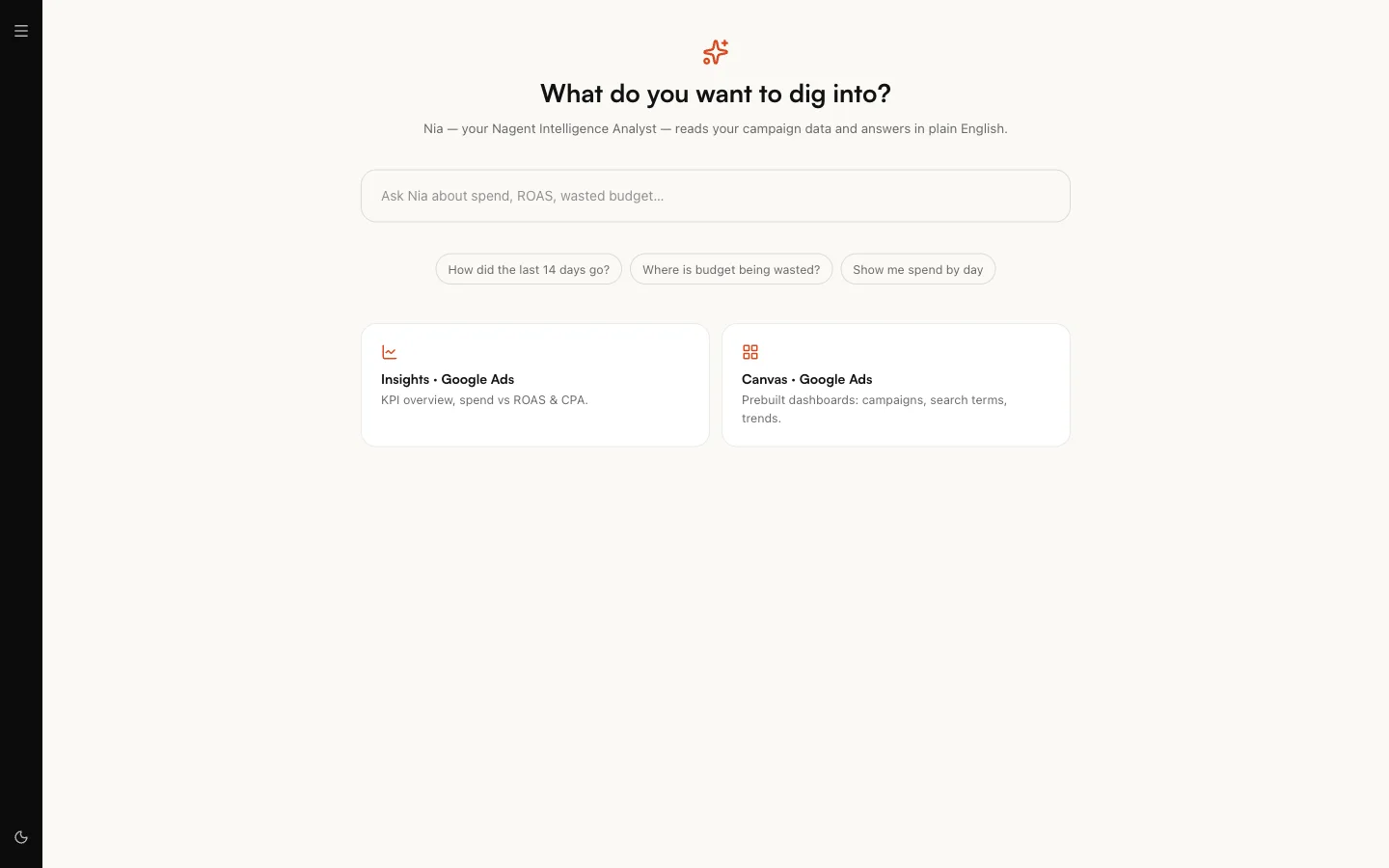
If you ask her to change something, such as pausing a campaign or cutting a budget, she queues the action and tells you it is waiting for approval. Nothing reaches Google until a person approves it. New campaigns are always routed to Build with agent rather than created in one step.
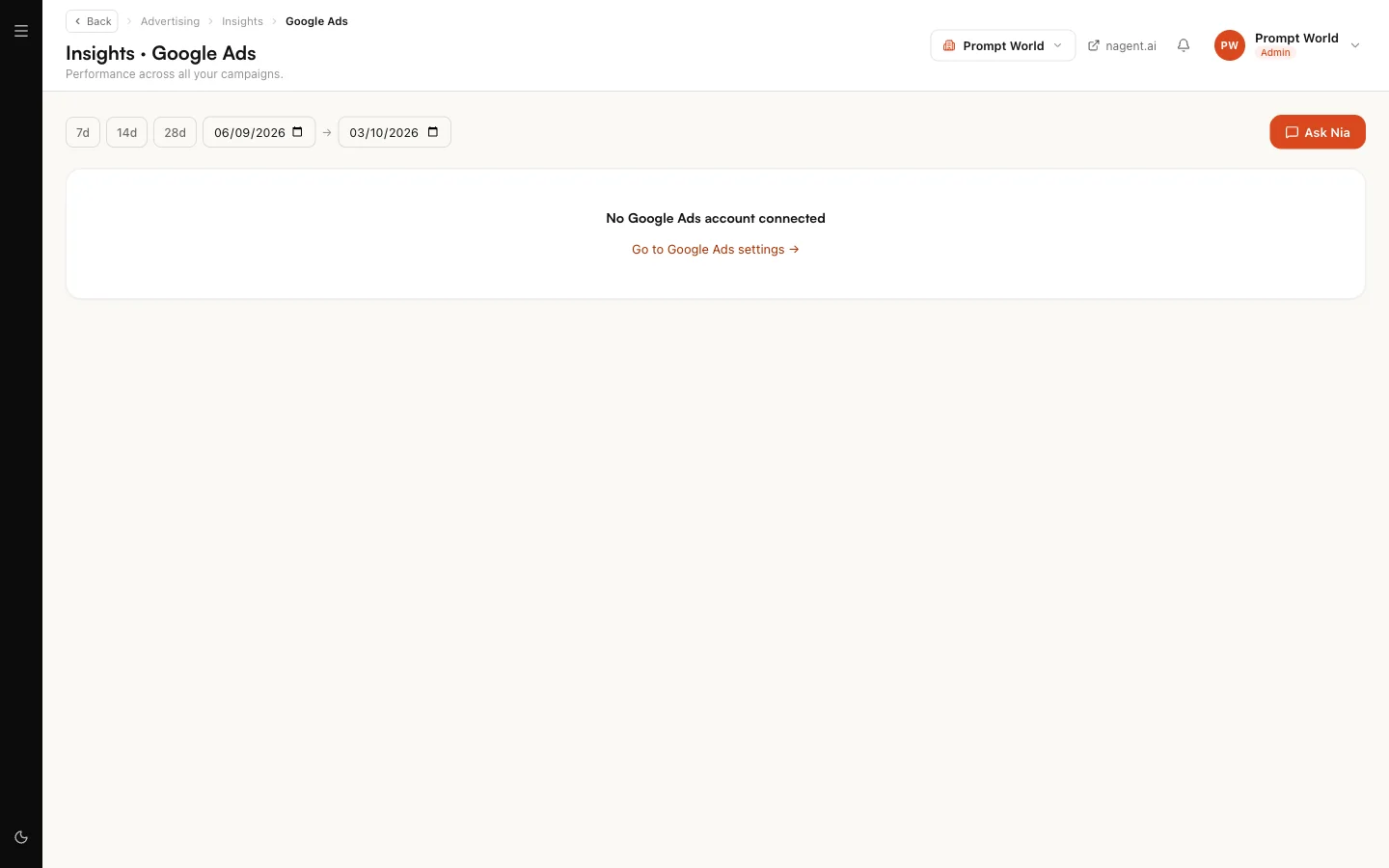
Insights and Canvas give prebuilt views: an overview of spend against return and cost per conversion, and dashboards for campaigns, search terms and trends.
Approving NIA's work
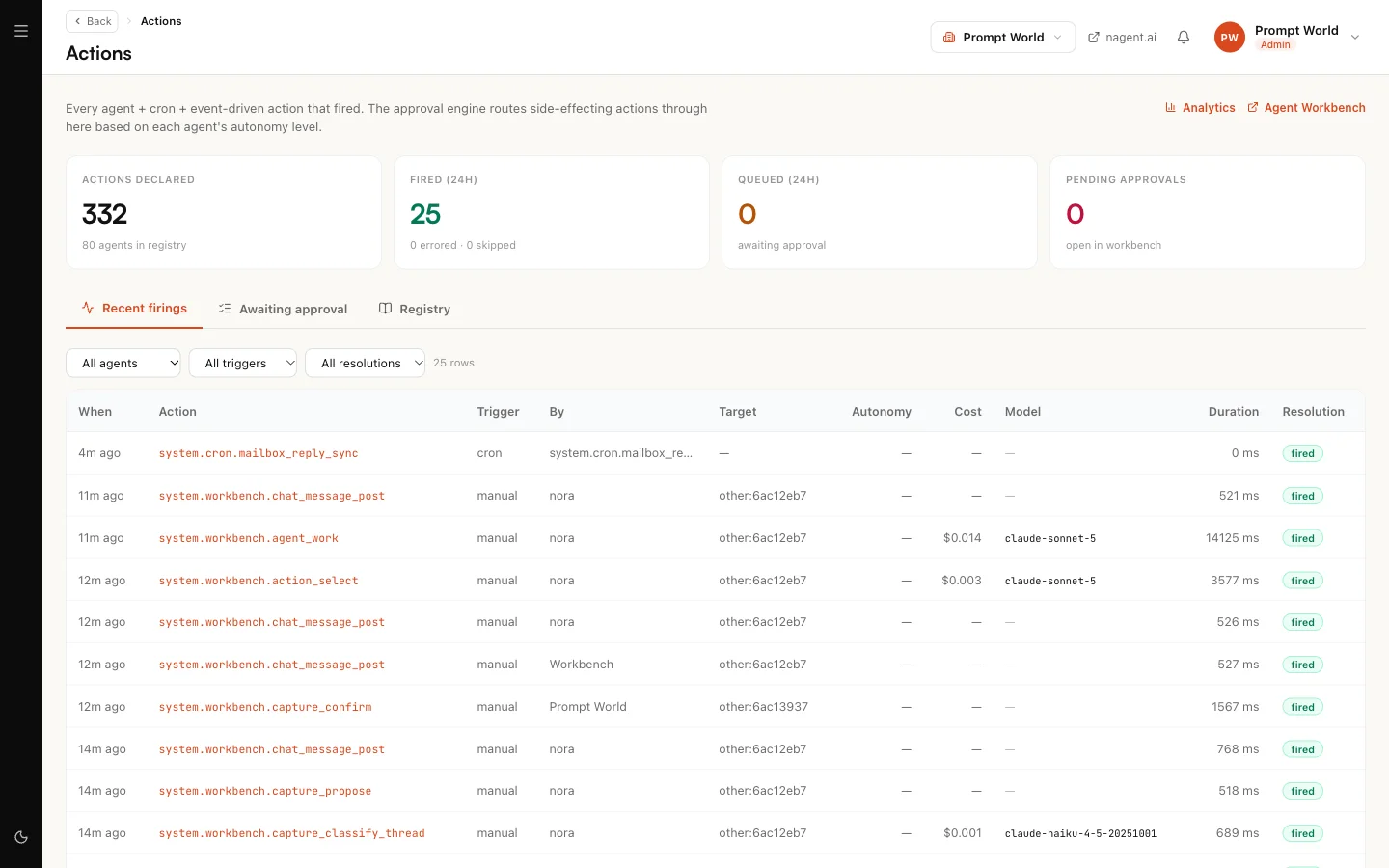
Queued changes appear on Actions, with what the change does and its risk note. Approve or reject each one. They do not appear in the Inbox yet.
Our logic
Ad spend is the one thing an agent can do in your workspace that costs money by the minute and cannot be taken back once it has been spent. So NIA drafts and fixed rules decide, every live change waits for a person, and a built campaign arrives paused. Trust can be earned upward later; it is not assumed on day one.
Limits today
- Google Ads only for NIA's own actions. Meta appears in GrowthPilot's comparison, not as something NIA changes.
- Work starts from the Advertising and Google Ads screens. Briefing NIA in the Marketing team room does not yet reach her live-ad actions.
- An approval can unlock repeats. For an hour after you approve one of NIA's actions, the same kind of action fired by you runs without asking again. Approve deliberately.