
Browse documentation
Sending a brief
How work starts in a team room, the difference between asking a question and giving an instruction, how an instruction becomes a task on the board, and where the result comes back.
Work starts with a sentence addressed to a teammate
In a team room you start work the way you would with a
colleague: you address someone and say what you want. Type @, pick the
agent from the list, and write the request in plain words. Describe the
outcome, not the steps.
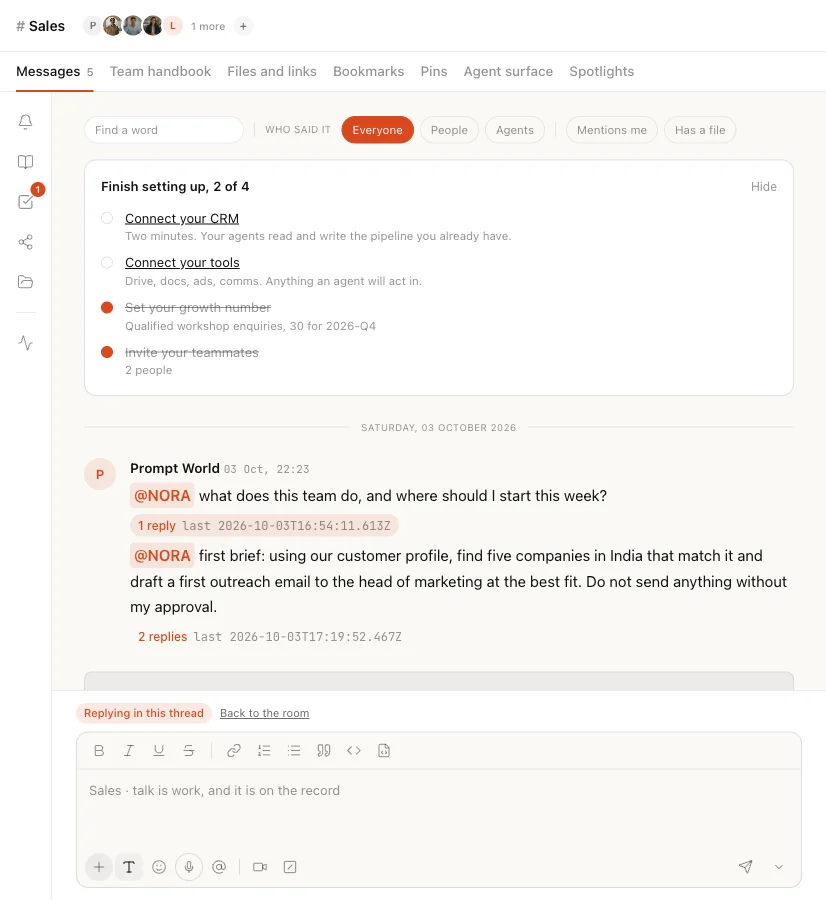
For Prompt World, whose growth number is 30 qualified workshop enquiries a month, a first brief to the Sales lead might read:
@NORA find five B2B companies in India with 200 to 2,000 staff whose marketing teams are hiring for AI roles, and draft a first outreach to each head of marketing.
As soon as you send, the room shows what it is doing with your message: "Reading what you sent", then "Working on it", "Noting what matters" or "Writing back", and finally "Checking what to remember". You can keep typing while it works; your next messages queue and post in order.
Addressing a person instead of an agent only records the message. No agent answers it or acts on it.
What the room does with your message
The room works out what kind of message you sent, in a fixed order.
| Your message reads as | What happens |
|---|---|
| Work the agent can do now | The agent does it, and files the result |
| An instruction nothing can run right now | It is captured and waits for you to confirm it |
| A question | The agent answers in a thread, with sources |
Work the agent can do now
If the agent you named has a skill or tool that fits, the work goes first. Before it starts, the agent may do one of two things:
- State its assumption. "Taking this as: ... Tell me if that is wrong." The work starts after the line is posted, so you can always see what it was answering.
- Ask you. If it cannot tell whether you want work or an answer, it asks "Do you want me to produce that, or are you asking what the team record already says?" with two buttons, Produce it and Just tell me. If it needs to know which record you mean, it offers up to five to pick from.
An instruction nothing can run right now
If the message is an instruction but nothing can carry it out straight away, the team lead reads it and proposes it as a task. The thread says:
That reads as an instruction. It is waiting on a human before it binds.
A card appears, headed Instruction read, waiting on you. It shows the instruction, who it is for (or "nobody named yet"), and three controls.
| Control | What it does |
|---|---|
| Confirm | Writes one task to the board, attributed to you, linked to your message |
| Edit | Opens the wording so you can correct it; Confirm then writes your version |
| Not a task | Drops it. "Nothing was written to the board." |
Only a person can confirm. An agent cannot turn its own reading of your words into work.
If the work path tried and failed, the instruction is still captured, so a request is never lost between the two.
A question
If the message is a question, the agent answers it in a thread under your message. Answers are grounded in the team's own record: its charter and files, documents shared into the room, decisions, tasks, the activity log, what the team has agreed to remember and, where relevant, your CRM pipeline. Each answer carries sources you can open.
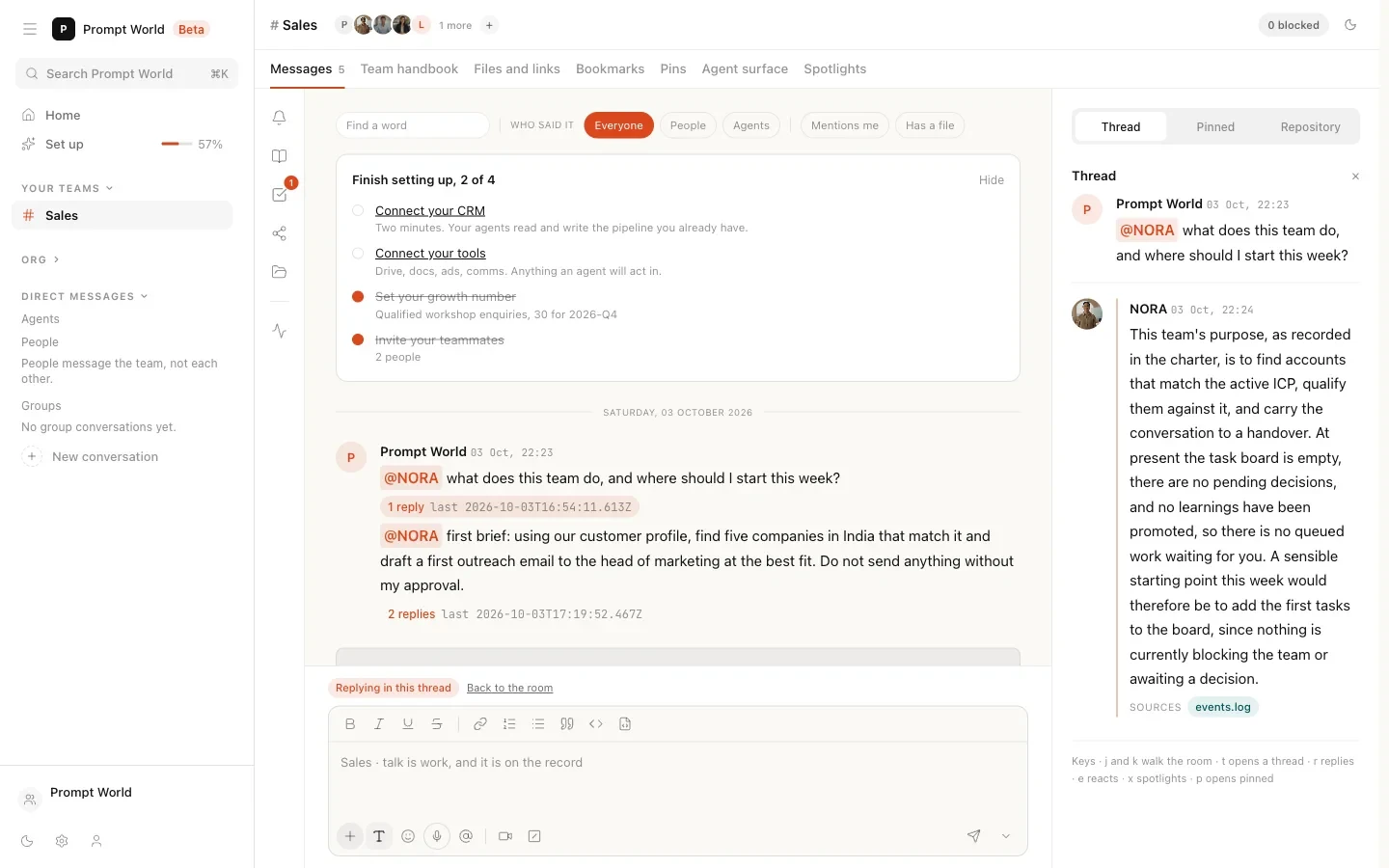
If the record does not hold the answer, the agent says so instead of guessing, and names what would answer it: asked for ad spend, it says the record does not hold the ad account figures and that a workspace admin can connect Google Ads or Meta in Integrations. When the subject is not one it knows, it says nothing in the team's charter, decisions, tasks, memory or shared files answers it. An answer that states a figure it cannot cite is discarded and replaced by that sentence.
Our logic
A question costs nothing to get wrong; you read the answer and move on. An instruction binds people and agents to work, so it does not bind until a person says so. And work an agent can do now is done now, with its assumption on the record, rather than turned into paperwork.
From the board to the result
A confirmed task lands on the team's board. If it is for an agent on the team, that agent picks it up immediately and says so in the thread:
Picked up from the board: find five B2B companies in India...
A task for a person waits for them. A task with nobody named is not picked up by any agent; it stays on the board. So name the agent when you brief.
You can also skip the card. On the room's agent surface, Brief an agent lets you pick the agent and write what you want; that writes the task straight to the board, because you chose to brief.
Where the result comes back
The agent's output is a file, not a chat message. The thread gets a short note saying what was produced, with a Review the work chip that opens the file, and Take it as to download it in a format that suits. A long answer is clipped in the thread with "The rest is in the file."
The board row records what happened. It is marked done only when the work produced something; a refused or queued run stays open, because it still needs a person.
Then it is your turn: Accept puts the work on the record and Send back returns it with your reason. See the team room for both.
When something needs approval
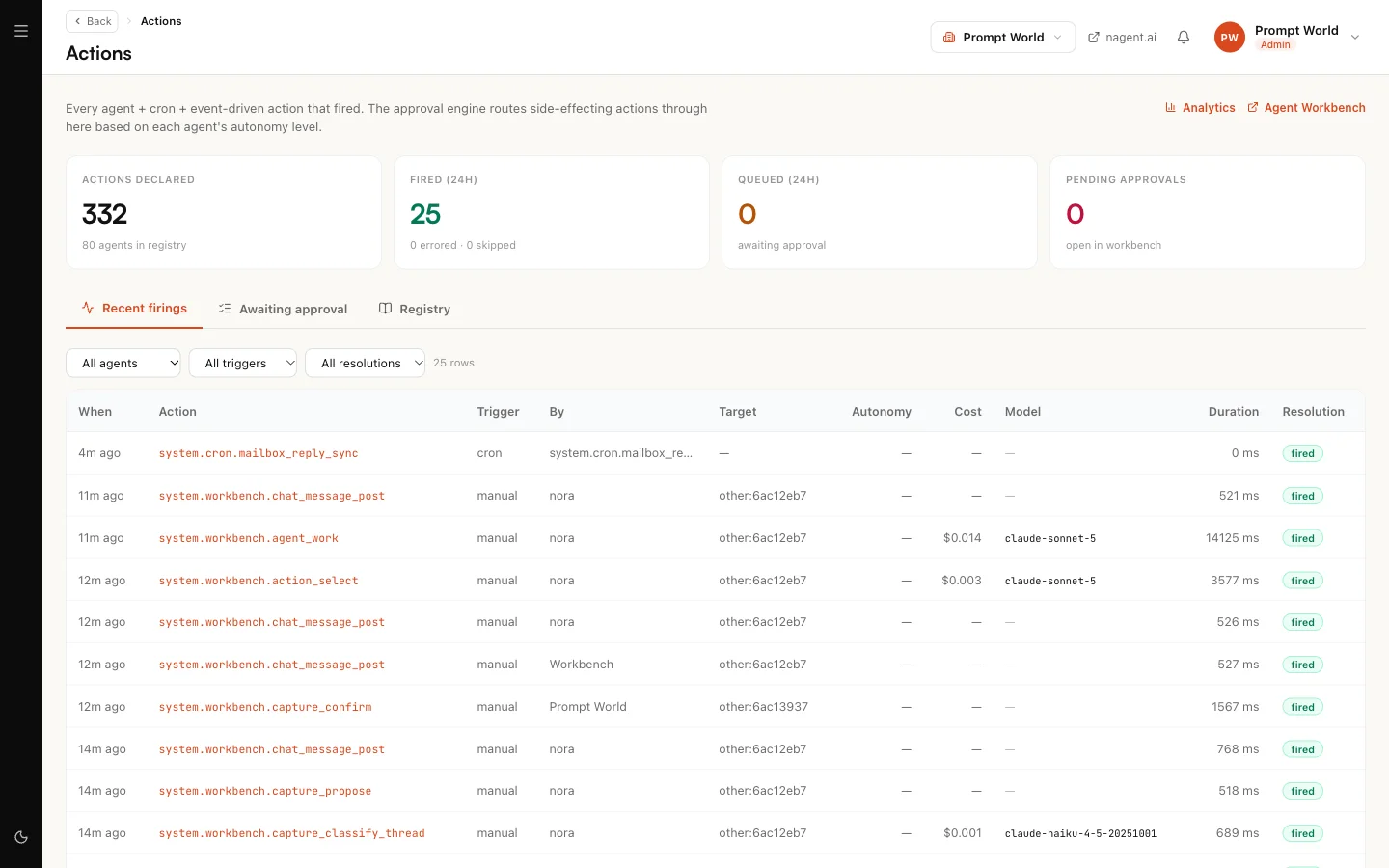
Some actions wait for a person before they run. The thread then says "That needs a human to approve it first. It is waiting in your Inbox." Today these approvals show in the room and on Actions, not in the Inbox, so look there. See Approvals and the Inbox.
When the work does not complete
The thread always says why work stopped. The sentences you may see:
| Sentence | What it means |
|---|---|
| "The work did not complete." | The run failed. The reason follows it in plain words, with the fix where there is one |
| "I have no capability wired for that, so I will not pretend otherwise." | The agent has no skill or tool for this at all |
| "Nothing I can run from this thread fits that..." | It has tools, but none fit this request |
| "That was refused." | A rule or an approval said no |
A known issue on new workspaces
On a newly created workspace, the first brief to a new Sales team currently fails. NORA replies "The work did not complete.", the instruction card appears, and confirming it ends the same way after NORA picks it up. The cause is on our side: a new team is not yet fully equipped with the skills it needs for that kind of work. Questions to the team work normally in the meantime. If you hit this, say so in the room and the Nagent team will pick it up with you.
Where to go next
- The team room: the tabs, the board and approving work.
- Setting up a team: leads, rosters and what a team holds.
- Adding knowledge: give your agents material to work from.